Web HostingBudget-friendly shared hosting plans
 Domains SearchFrom .com to unique country domains, explore and register extensions worldwide.
 WordPress HostingPower your blog or business with WordPress hosting.
 Email HostingSimple, secure email hosting that helps you stay connected and professional.
 Reseller HostingStart your own hosting business with easy and reliable reseller hosting plans.
 AffiliateJoin our affiliate program and earn commissions every time you bring in new customers.
 cPanel HostingHosting powered by cPanel, the world’s most user-friendly control panel.
 Windows HostingBuilt for Windows applications and websites
 IN Domain PricesDon’t miss out on the best domain deals in India!
 WHOIS LookupFind out who owns a domain name with a quick and easy WHOIS search.
 Domain TransferTransfer your domain to us and enjoy reliable support every step of the way.
 .Com DomainGet the most trusted domain for worldwide credibility
 All TldsSearch and register domain extensions worldwide.
 SSL CertificatesProtect your website with trusted SSL certificates and keep customer data safe.
 VPS HostingPowerful virtual servers. Full root access. Reliable uptime.
 Managed VPS HostingNot a tech expert? Choose our fully managed VPS service.
 Dedicated ServersTake full power and total control of your own physical server.
 AI Website BuilderCreate stunning websites instantly with our easy AI builder.
 Online ShopBuild your eCommerce store easily, no coding, just growth.
 Web Design ServicesGet a website built for your brand and designed for your goals.
 Contact UsReach out to us for support or questions.
 SupportGet answers and how-to guides for all our services.
 BlogRead our latest blogs on web hosting, online business, digital marketing, and other helpful topics.
Last updated on December 18th, 2025 at 04:54 am
You’re building your first website. It could be for your startup in Bangalore. Or your family business in Mumbai. Or that side hustle you’ve been planning.
You register a domain. Exciting stuff.
Then you see terms like DNS, nameservers, A records, and CNAME. And suddenly, you’re confused.
What’s the difference between DNS and nameservers?
Here’s the truth. Most people mix these up. They use the terms interchangeably, but they’re not the same thing.
That’s why in this article, I’ll uncover the real difference between nameserver vs DNS and how they relate.
Let’s find out!
What is DNS?
When you type truehost.co.in into your browser, your computer doesn’t understand that. Computers speak in numbers, specifically, IP addresses like 172.217.166.46.
And that’s where DNS comes in.
It is the system that translates human-readable domain names into machine-readable IP addresses.
Without DNS, you’d need to remember IP addresses for every website you visit. Imagine memorizing strings of numbers for Flipkart, Amazon, YouTube, and every other site you use daily.
Sounds terrible, right?
That’s why DNS exists.
But here’s what most people don’t realize. DNS isn’t just one thing. It’s a hierarchy. A structured system with multiple components working together.
At the top, you have root servers. These know where to find information about .com, .in, and .org domains.
Below that, you have authoritative nameservers for specific domains.
And your ISP? They run recursive DNS servers that do the actual looking up for you.
For instance, when you’re in Delhi or Chennai or anywhere in India, your internet service provider, like Airtel, Jio, or BSNL, runs DNS resolvers.
These are the servers that actually perform DNS lookups when you browse the web.
What is a Nameserver?
A nameserver is a specialized server that stores DNS records for a domain.
Think of it as a librarian for your domain’s information.
When someone wants to visit your website, nameservers tell them where to go. In short, they hold all the critical information, such as:
- Where your website files are hosted (A records)
- Where your emails should be delivered (MX records)
- Subdomains and their locations (CNAME records)
- And much more
Nameservers look like this:
- ns1.truehost.in
- ns2.truehost.in
Notice there are usually two or more? That’s for redundancy. If one fails, the others keep working.
So, every domain must have nameservers. Without them, the domain won’t resolve. Your website won’t load. Your emails won’t arrive.
Plus, when you register a domain with any registrar in India, like Truehost, you need to point that domain to the nameservers.
Usually, the hosting provider gives you the nameserver information. Something like:
- ns1.hostingcompany.com
- ns2.hostingcompany.com
You enter these in your domain registrar’s control panel. And that’s how your domain knows where to find your website.
But here’s where it gets interesting.
You can change nameservers. Maybe when moving from one host to another, using Cloudflare for security and speed, or setting up custom DNS management.
Either way, when you change nameservers, you’re essentially telling the internet: “Hey, go ask these servers for information about my domain instead.”
But remember, the change takes time. Usually 24-48 hours in a process called DNS propagation.
During that time, some people might see your old site while others see the new one. It’s not instant because DNS information is cached across thousands of servers worldwide.
How Nameservers and DNS Relate?
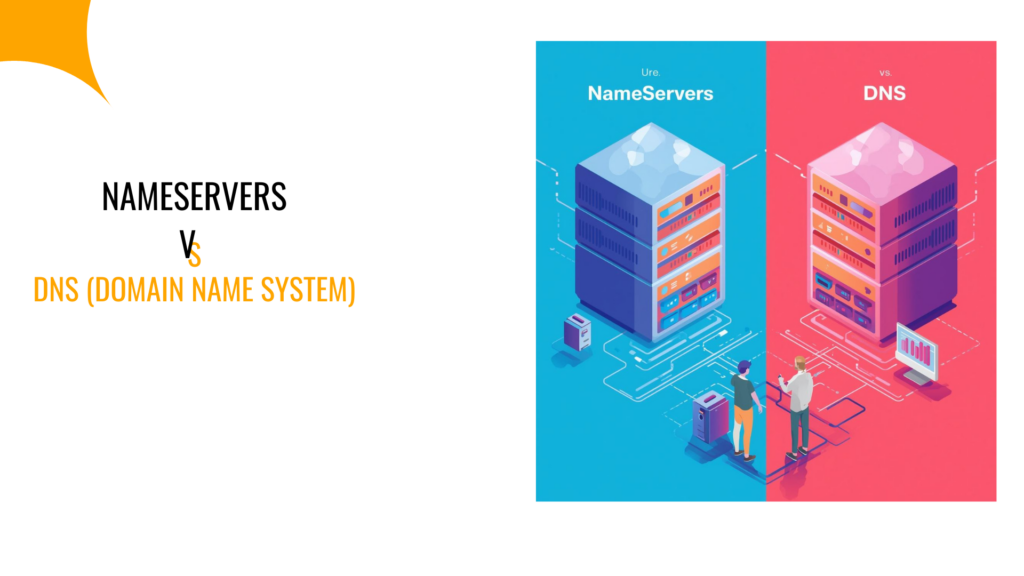
Here’s where things click together.
DNS is the entire system. The framework. The concept. On the flip side, nameservers are specific components within that system.
Let me give you an analogy that makes more sense.
Think of DNS as the Indian postal system. The whole infrastructure that delivers letters across the country.
Then, nameservers are like specific post offices in your locality. They know exactly which addresses exist in their area and where to deliver mail.
In simple words, when you send a letter (visit a website), the postal system (DNS) routes it through various checkpoints until it reaches the right post office (nameserver).
That post office then delivers it to the exact address (your website’s IP).
All of this happens in milliseconds.
You don’t see it. You don’t feel it. But it’s happening every single time you visit a website.
So, nameservers can’t exist without the DNS system. And the DNS system uses nameservers to function.
They’re interconnected. Dependent on each other.
DNS vs Nameservers: Quick Comparison Table
The table below shows the clear difference between DNS and nameservers, so you do not confuse the two:
| Aspect | DNS | Nameservers |
| What it is | Complete system for translating domains to IPs | Specific servers that store DNS records |
| Scope | Global internet infrastructure | Individual domain-level |
| Function | Overall framework for domain resolution | Holds and serves DNS records for specific domains |
| Control | Managed by multiple organizations worldwide | Controlled by the domain owner or the hosting provider |
| Example | The entire domain name system | ns1.truehost.in, ns2.truehost.in |
| Changeability | You can’t change the DNS itself | You can change the nameservers for your domain |
| Location | Everywhere (distributed globally) | Specific servers owned by hosting companies |
What Is the Difference Between DNS and Nameservers?
Let me get even more specific about the differences.
DNS is a protocol and system. In short, it’s a standardized way computers communicate about domain names and is governed by international organizations.
So, you don’t own DNS. You don’t manage DNS. You use it.
On the other hand, nameservers are actual servers. Physical or virtual machines running nameserver software.
They can be located in Mumbai, Singapore, Frankfurt, or anywhere else, and they respond to queries about specific domains.
Unlike DNS, you can own nameservers (if you’re a hosting company). Plus, you can choose which nameservers your domain uses, so you have control here.
Think about it this way:
When you’re setting up hosting for your e-commerce site selling handloom sarees across India, you don’t touch DNS. You can’t. DNS is the system.
But you absolutely configure nameservers. You tell your domain registrar: “Use these nameservers for my domain.”
Another difference is the scope of responsibility.
DNS handles everything. Top-level domains like .in, .com, .org. Country codes and generic domains. The entire hierarchy.
In contrast, nameservers only care about the domains assigned to them. If you point yoursite.co.in to specific nameservers, those nameservers only respond to queries about yoursite.co.in (and any subdomains).
And finally, DNS and nameservers differ in speed and performance, too.
The DNS system’s efficiency depends on global infrastructure, including root servers, TLD servers, and caching mechanisms across ISPs.
However, your nameserver’s speed depends on where it’s hosted. In other words, if you’re targeting Indian customers, but your nameservers are in the US, there’s latency.
That’s why many Indian hosting providers like Truehost have nameservers located in India and nearby regions.
Nameservers vs DNS vs Domain Name
Let’s add one more element to avoid confusion: the domain name itself.
People often mix up all three. So let’s clarify.
Your domain name is what people type. Like truehost.co.in or yourstore.com. It’s your address on the internet. Your brand. Your identity.
You register this with a domain registrar, renew annually or for multiple years, and own it (technically, you lease it) as long as you keep paying.
For DNS, it’s the system that makes your domain name work. It translates your domain into an IP address so computers can find your website.
You don’t register DNS. You don’t buy DNS. It’s the infrastructure that exists.
Then, nameservers are what you configure for your domain. They’re the specific servers that hold information about where your domain points.
You get nameservers from your hosting provider and enter them in your domain registrar’s panel.
Here’s a real example:
Let’s say you register “mumbaifoods.co.in” (your domain name) and you want to build a food delivery site.
You sign up with a hosting provider, and then they give you nameservers, for example,
- ns1.hostingprovider.co.in
- ns2.hostingprovider.co.in
Now, what you do is log into your domain registrar’s account and update the nameserver settings for mumbaifoods.co.in.
That way, when someone types mumbaifoods.co.in, the DNS system kicks in. It checks which nameservers handle that domain and contacts those nameservers.
Then, the nameservers respond with your website’s IP address, making the browser to load and display your site.
That’s all!
It’s three different things with three different roles. Your domain is the name. DNS is the system. Nameservers are the guides.
Final Words
DNS and nameservers work together to make the internet function.
DNS is the system. Nameservers are the workers within that system. So, you can’t have one without the other.
But for your website or business in India, here’s what matters:
- Choose reliable nameservers. Preferably, ones located in or near India for faster performance.
- Understand that changing nameservers means migrating where your domain’s DNS records are managed.
- Know that DNS propagation takes time, so you can plan accordingly when making changes.
That way, it will be easy to manage your website’s nameserver and DNS, without the risk of confusing the two.
Ready to set up your domain with reliable nameservers?
At Truehost, we offer India-focused hosting and domain solutions with nameservers optimized for fast DNS resolution across the country.
Whether you’re in tier-1 cities or smaller towns, we ensure your website stays fast and accessible.
Even better, our services are affordable, and we offer a generous money-back guarantee to try us before you commit.