Web HostingBudget-friendly shared hosting plans
 Domains SearchFrom .com to unique country domains, explore and register extensions worldwide.
 WordPress HostingPower your blog or business with WordPress hosting.
 Email HostingSimple, secure email hosting that helps you stay connected and professional.
 Reseller HostingStart your own hosting business with easy and reliable reseller hosting plans.
 AffiliateJoin our affiliate program and earn commissions every time you bring in new customers.
 cPanel HostingHosting powered by cPanel, the world’s most user-friendly control panel.
 Windows HostingBuilt for Windows applications and websites
 IN Domain PricesDon’t miss out on the best domain deals in India!
 WHOIS LookupFind out who owns a domain name with a quick and easy WHOIS search.
 Domain TransferTransfer your domain to us and enjoy reliable support every step of the way.
 .Com DomainGet the most trusted domain for worldwide credibility
 All TldsSearch and register domain extensions worldwide.
 SSL CertificatesProtect your website with trusted SSL certificates and keep customer data safe.
 VPS HostingPowerful virtual servers. Full root access. Reliable uptime.
 Managed VPS HostingNot a tech expert? Choose our fully managed VPS service.
 Dedicated ServersTake full power and total control of your own physical server.
 AI Website BuilderCreate stunning websites instantly with our easy AI builder.
 Online ShopBuild your eCommerce store easily, no coding, just growth.
 Web Design ServicesGet a website built for your brand and designed for your goals.
 Contact UsReach out to us for support or questions.
 SupportGet answers and how-to guides for all our services.
 BlogRead our latest blogs on web hosting, online business, digital marketing, and other helpful topics.
You’re shopping for Windows hosting. You’ve checked three providers, maybe five.
The prices are all over the place.
One provider charges ₹200 per month. Another wants ₹2,000. A third throws in “unlimited resources” for ₹500, but the reviews say it crashes weekly.
So what’s the real cost? And more importantly, what should you actually pay for decent Windows hosting in India?
Here’s the truth.
Pricing isn’t just about the number on the screen. It’s about what you get, what you don’t, and whether that plan can handle your website without falling apart.
In this guide, I’ll break down Windows hosting prices in India, show you what Truehost offers, and help you pick the right plan without overpaying or getting stuck with something that can’t scale.
What Is Windows Hosting
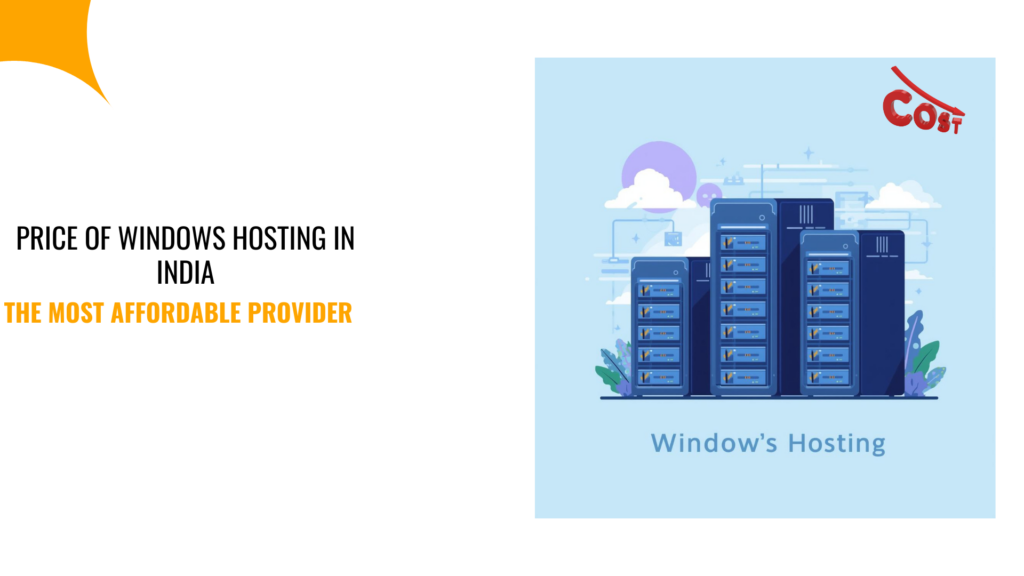
Windows hosting is a type of web hosting that utilizes Windows Server as its operating system, as opposed to Linux.
The key difference lies in the operating system and the tools you receive.
Windows hosting uses IIS (Internet Information Services) as the web server, and it’s built to run Microsoft technologies like ASP.NET, .NET Core, MS SQL, and other Windows-specific applications.
So, if your website or application depends on these technologies, you need Windows. Otherwise, Linux hosting won’t work.
And that’s where the price difference starts.
Unlike Linux hosting, Windows Server requires licensing fees, hence why it will cost more than the latter.
But it’s not just about Microsoft tech.
Windows hosting also integrates smoothly with tools like Active Directory, Azure, and other enterprise solutions.
Therefore, in summary, if you’re building something that fits into the Microsoft ecosystem, Windows hosting is worth the extra cost.
Average Price of Windows Hosting in India
Windows hosting in India typically ranges from ₹150 to ₹5,000+ per month, depending on the type of hosting and resources you need.
Here’s the breakdown:
1) Shared Windows Hosting
Costs ₹150 to ₹600 per month.
And since you share server resources with other websites, performance can be inconsistent if other sites on the server use too many resources.
So, it’s Good for small projects, blogs, or testing environments.
2) Windows VPS Hosting
This costs ₹800 to ₹3,000 per month.
Unlike shared hosting, you get dedicated resources and full control over your server environment.
So, you enjoy better performance, more flexibility, and room to scale, which are all key features most growing businesses need.
3) Dedicated Windows Server
Dedicates Windows server costs ₹5,000+ per month.
Here, you rent an entire physical server, meaning you have maximum control and performance at your disposal.
Hence, this plan is only necessary for high-traffic sites or resource-heavy applications.
Key Factors That Affect Windows Hosting Prices
Not all Windows hosting is the same. Here’s what changes the price:
- Server resources: More RAM, CPU cores, and storage cost more. So, a plan with 1GB RAM and 20GB storage will be cheaper than one with 8GB RAM and 200GB storage.
- Bandwidth and traffic limits: Some plans cap your monthly bandwidth. However, if your site gets a traffic spike, you might face overage charges or downtime.
- Windows server license: The license fee is built into the hosting cost. Some providers charge separately, others include it. So, always check if the license is included in the advertised price.
- Control panel access: Plesk is the most common control panel for Windows hosting. Some providers include it for free, others charge an extra fee per month.
- Support quality: Cheap hosting often comes with slow or non-existent support. But for personalized, real human, and quick support, it might cost more, which is still worth it.
- Add-ons and features: SSL certificates, daily backups, email hosting, and security tools can add to the cost. Some providers bundle these, while others charge separately.
Truehost Windows Hosting Plans: Pricing and Features
At Truehost, we designed our Windows hosting plans for India. They are affordable, reliable, and built to perform.
Here’s what we offer:
| Plan | Price (Monthly) | Storage | Bandwidth | Websites | RDP Access | Key Features |
| Windows Starter | ₹117 / month | 2GB Disk | Unlimited | 1 Website | No | ASP.NET, PHP 7.3, Python, Perl, MySQL & MSSQL (Unlimited), Windows Server 2019 |
| Windows Pro | ₹263 / month | 30GB Disk | Unlimited | 3 Website | No | ASP.NET, PHP 7.3, Python, Perl, MySQL & MSSQL (Unlimited), Windows Server 2019 |
| Windows Business | ₹4,845 / month | 200GB Disk | Unlimited | Unlimited | Yes | Free Domain, Free SSL, Daily Backups, Dedicated IP, Plesk, Node.js, Laravel, High Security |
All plans include Windows Server licensing, so no hidden costs.
You also get full RDP access, which means you have complete control over your server environment.
So, here is why our pricing is the best in the market!
We don’t cut corners. You get SSD storage for faster loading times, unmetered bandwidth so traffic spikes won’t crash your site, and support that actually responds when you need help.
Plus, our servers are optimized for India, which means better speeds for Indian visitors.
And if you’re running ASP.NET or .NET Core applications, our plans are optimized for that. No extra setup headaches.
But how do we compare to other providers? Let’s find out.
Comparing Truehost Pricing with Other Hosting Providers
Let’s be honest.
Everyone claims to be the best, but here’s a real comparison of Truehost with other Windows hosting providers in India, so you can decide for yourself.
| Provider | Starting Price | Support | Storage | Badwidth |
| Truehost | ₹117/month | 24/7 Live Support | 2GB | Unmetered |
| BigRock | ₹189/Month | Mainly emails and tickets | 2GB | 100 GB Transfer |
| HostingRaja | ₹284.90/Month | Limited support | 120GB | 100 GB Transfer |
| Liquid Web | ₹10,921/Month | Mainly emails and tickets | 100 GB | 10TB |
| Resellerclub | ₹314.74/Month | Limited | 2GB | Unmetered |
Look at BigRock. Affordable price, but you get limited bandwidth, and the support is mainly email and tickets.
HostingRaja, on the other hand, is fairly affordable, but they have limited support and cap bandwidth to 100GB transfer. So, if your site grows, you’ll need to upgrade fast.
The Liquid Web and Resellerclub costs double what we charge for nearly the same resources.
So, it is evident that Truehost gives you better value. More resources, no hidden fees, and support that’s available when you need it.
How to Choose the Right Windows Hosting Plan in India
Don’t just pick the cheapest option. That’s how you end up with slow loading times and constant crashes.
Here’s how to choose smart:
- Know your website’s needs: Are you running a small business site, an e-commerce store, or a complex ASP.NET application? Small sites with low traffic can start with shared hosting. But if you’re running applications or expect growth, go with VPS.
- Check resource requirements: Look at your current usage. And if you’re using 1GB of RAM now but expect traffic to double, don’t buy a 1GB plan. Give yourself room to grow.
- Factor in bandwidth: If your site gets traffic spikes, like during sales or product launches, unmetered bandwidth is a must. You don’t want your site going down when traffic peaks.
- Look at the control panel options: Plesk makes managing Windows hosting easy. If it’s not included, you’ll either pay extra or manage everything manually through RDP.
- Evaluate support quality: Check reviews and see how fast the provider responds to support tickets. Good support is worth paying for.
- Consider scalability: Can you upgrade easily? If your site grows, you don’t want to migrate to a new provider.
- Check for hidden costs: SSL, backups, and domain registration; some providers charge separately for these. So, calculate the total cost, not just the base price.
With Truehost, we check all the boxes as per the above criteria. We offer affordable Windows hosting that you can easily scale up when your site grows.
FAQs
1) What are the hidden costs to watch when buying Windows hosting?
Watch for Plesk licensing fees, SSL certificates, backup services, and domain registration. Some providers advertise low prices but charge extra for these essentials.
Thankfully, at Truehost, we include SSL and Plesk in all plans, so you know exactly what you’re paying.
2) Is Windows Hosting Worth the Price for Your Website?
If you’re running ASP.NET, .NET Core, or MS SQL databases, yes. Windows hosting is built for these technologies.
But if you’re running WordPress or PHP, Linux hosting is cheaper and works just as well. So, choose based on your site’s technology stack, not just price.
Final Verdict: Best Windows Hosting Price in India
Windows hosting costs more than Linux, but you’re paying for compatibility, performance, and support for Microsoft technologies.
In India, expect to pay between ₹1550 and ₹5,000+ per month, depending on your needs.
But if you’re just starting, shared Windows hosting works for small projects, while Windows VPS gives you the control and performance for developed businesses.
At Truehost, we built our Windows hosting plans, which are fast, reliable, and priced fairly. No hidden fees, no overselling, no shortcuts.
So, if you’re launching your first ASP.NET site or scaling an existing application, we have a plan that fits.
Ready to get started? Check out our Windows hosting plans and pick the one that matches your needs.
If you’re not sure, reach out, and we’ll help you choose.