Web HostingBudget-friendly shared hosting plans
 Domains SearchFrom .com to unique country domains, explore and register extensions worldwide.
 WordPress HostingPower your blog or business with WordPress hosting.
 Email HostingSimple, secure email hosting that helps you stay connected and professional.
 Reseller HostingStart your own hosting business with easy and reliable reseller hosting plans.
 AffiliateJoin our affiliate program and earn commissions every time you bring in new customers.
 cPanel HostingHosting powered by cPanel, the world’s most user-friendly control panel.
 Windows HostingBuilt for Windows applications and websites
 IN Domain PricesDon’t miss out on the best domain deals in India!
 WHOIS LookupFind out who owns a domain name with a quick and easy WHOIS search.
 Domain TransferTransfer your domain to us and enjoy reliable support every step of the way.
 .Com DomainGet the most trusted domain for worldwide credibility
 All TldsSearch and register domain extensions worldwide.
 SSL CertificatesProtect your website with trusted SSL certificates and keep customer data safe.
 VPS HostingPowerful virtual servers. Full root access. Reliable uptime.
 Managed VPS HostingNot a tech expert? Choose our fully managed VPS service.
 Dedicated ServersTake full power and total control of your own physical server.
 AI Website BuilderCreate stunning websites instantly with our easy AI builder.
 Online ShopBuild your eCommerce store easily, no coding, just growth.
 Web Design ServicesGet a website built for your brand and designed for your goals.
 Contact UsReach out to us for support or questions.
 SupportGet answers and how-to guides for all our services.
 BlogRead our latest blogs on web hosting, online business, digital marketing, and other helpful topics.
Your developer just told you the application needs Windows hosting.
You’ve heard of web hosting. But Windows hosting? What makes it different from regular hosting?
It’s simple! Windows hosting uses Microsoft’s Windows Server operating system instead of Linux.
It’s specifically designed for applications built with Microsoft technologies like ASP.NET, MSSQL databases, and other Windows-based frameworks.
So, if your website or application uses these technologies, Windows hosting isn’t optional. It’s required.
But most Indian businesses don’t understand the difference.
They choose Linux hosting by default because it’s cheaper or more common. Then their applications don’t work properly.
In this guide, I’ll explain exactly what Windows hosting is, how it works, and when you need it. You’ll also learn the advantages, the limitations, and how to choose the right provider in India.
What Is Windows Hosting?
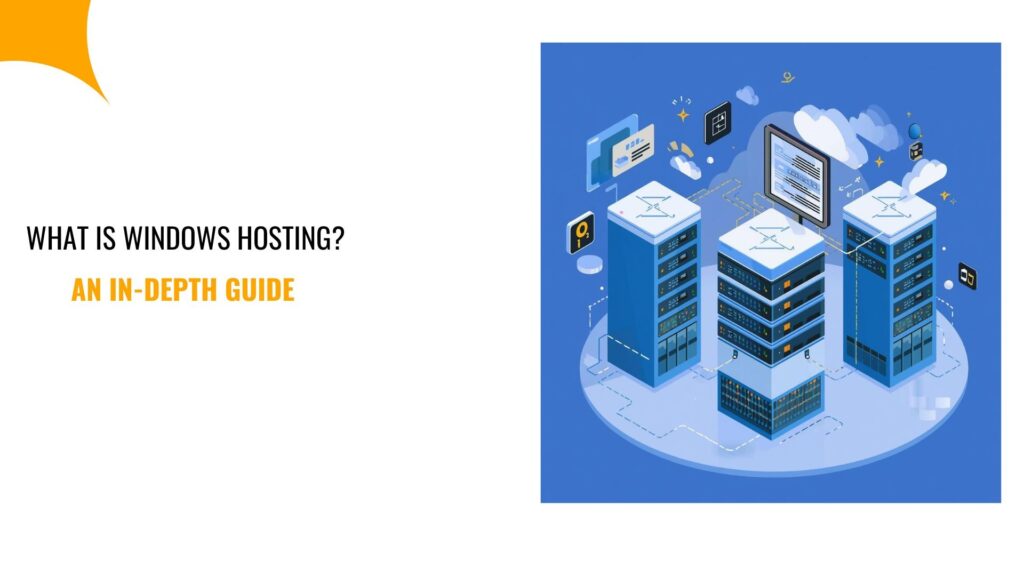
Windows hosting is web hosting that runs on the Windows server operating system. The server uses Microsoft’s software infrastructure instead of Linux-based systems.
This matters because different operating systems support different technologies.
For example, Windows servers natively support:
- ASP.NET and ASP.NET Core
- Microsoft SQL Server (MSSQL)
- .NET Framework applications
- Visual Basic development
- Microsoft Access databases
- Remote Desktop Protocol (RDP)
- IIS (Internet Information Services) web server
So, if your application uses any of these technologies, you need Windows hosting.
Think of it like this: you can’t run Windows software on a Mac without special tools. Similarly, you can’t run ASP.NET applications on Linux servers without significant workarounds.
How Windows Hosting Works
The basic concept is the same as any web hosting, where a company maintains physical servers in data centers, and you rent space and resources on these servers to host your website or application.
The difference is what’s running on those servers.
Windows hosting servers run Windows Server 2019, 2022, or newer versions. These are specifically designed for hosting and server operations, not the Windows 10 or 11 you use on your desktop.
On top of Windows Server, the host installs:
- IIS (Internet Information Services): This is Microsoft’s web server software, which handles HTTP requests and serves your web pages. It has a similar role to Apache or Nginx on Linux, but optimized for Windows and ASP.NET.
- .NET Framework and .NET Core: The runtime environment for ASP.NET applications, where different versions support different application requirements.
- MSSQL Server: This is Microsoft’s database system, often MSSQL Express for shared hosting, or Standard/Enterprise editions for VPS and dedicated servers.
- Plesk Control Panel: The management interface where you control your hosting, like creating websites, managing databases, configuring email, and installing SSL certificates.
When someone visits your website hosted on Windows hosting, their request goes to IIS.
Then, IIS processes the request using your ASP.NET code, queries MSSQL databases if needed, and returns the response.
All of this happens within the Windows Server environment, using Microsoft’s integrated technologies.
Key Features of Windows Hosting
What do you actually get with Windows hosting? Here are the most critical features that come with Windows hosting:
- ASP.NET support: Whether you’re running classic ASP.NET or modern ASP.NET Core, Windows hosting handles it natively.
- MSSQL database access: Windows hosting offers Microsoft SQL Server for your databases, which is more robust and feature-rich.
- Plesk control panel: This is the industry-standard control panel for Windows hosting. It has an intuitive interface for managing all aspects of your hosting without needing command-line access.
- Windows-specific technologies: Windows hosting supports MS Access databases, Visual Basic scripts, and other Windows-dependent applications that won’t run on Linux.
- Remote desktop access: On VPS and dedicated plans, you can connect via Remote Desktop for full server control. This is a familiar Windows interface instead of an SSH command line.
- Seamless Microsoft integration: Easy integration with other Microsoft products and services your business might already use.
- IIS configuration: Full control over IIS settings for optimizing your application performance and security.
These features specifically serve businesses and developers working within the Microsoft ecosystem.
If you’re not using Microsoft technologies, you probably don’t need these features. Linux hosting works fine for PHP, Python, Ruby, and most other web technologies.
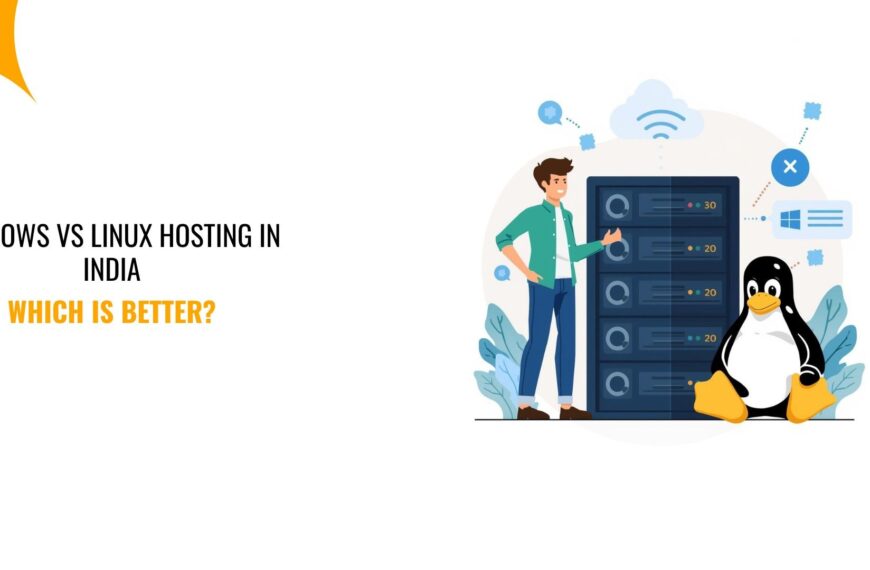
What is the Difference Between Windows Hosting and Linux Hosting
Choosing between Windows hosting and Linux hosting comes down to the technology your website or application uses.
Both hosting types are reliable and secure. But they support different programming languages, databases, and development environments.
Here is a clear, side-by-side comparison to help you decide fast.
| Feature | Windows Hosting | Linux Hosting |
| Operating System | Windows Server | Linux (Ubuntu, CentOS, etc.) |
| Best for | ASP.NET, .NET, MSSQL apps | PHP, Python, WordPress, Node.js |
| Supported languages | ASP.NET, .NET Core, Classic ASP | PHP, Python, Ruby, Perl, Node.js |
| Databases | MSSQL, MySQL | MySQL, MariaDB, PostgreSQL |
| Control panel | Plesk | cPanel (most common) |
| Server access | Remote Desktop (GUI) | SSH (command line) |
| Licensing cost | Paid (Microsoft license) | Free (open source) |
| Typical cost in India | Slightly higher | More affordable |
| Performance strength | ASP.NET applications | PHP-based websites |
So, in summary, there is no better option overall. Only the right fit.
If your website or application uses ASP.NET, .NET, or MSSQL, Windows hosting is required. There is no practical alternative.
If you are running WordPress, PHP apps, or open-source frameworks, Linux hosting is simpler, cheaper, and more flexible.
Advantages of Windows Hosting
Why would you choose Windows hosting? Below are the benefits that might keep you wanting to use Windows hosting:
- Native ASP.NET support: No workarounds or compatibility layers needed. Your ASP.NET applications run exactly as designed with full framework support.
- MSSQL integration: Seamless database integration optimized for Windows environments. If your application was built around MSSQL, Windows hosting is the obvious choice.
- Familiar interface: Remote Desktop access provides the Windows GUI most people know.
- Microsoft stack integration: If you’re using Microsoft products throughout your business (Office 365, Azure AD, SharePoint), Windows hosting integrates smoothly.
- Enterprise-grade features: Windows Server includes enterprise features that many businesses need, including Active Directory support, advanced authentication, and group policy management.
- Commercial support: Microsoft provides official support and documentation. Also, issues get resolved through established channels rather than community forums.
- Development tool compatibility: Visual Studio and other Microsoft development tools work seamlessly with Windows hosting environments.
- Specific application requirements: Some commercial applications and enterprise software require Windows Server to function. If you’re running these, Windows hosting is mandatory.
The advantages matter most if you’re already invested in Microsoft technologies. They are compelling reasons to choose Windows hosting for specific applications.
Limitations of Windows Hosting
Windows hosting isn’t perfect for every situation. It has its downsides that you should be aware of, so you know how to maneuver around:
- Higher cost: Licensing fees make Windows hosting more expensive than equivalent Linux hosting.
- Fewer providers: Most hosting companies focus on Linux. So, Windows hosting options are more limited, especially among budget providers.
- Resource usage: Windows Server itself uses more RAM and storage than Linux. You get fewer available resources for the same server specifications.
- Open source limitations: Most popular web applications (WordPress, Joomla, Drupal) are built for Linux. They run poorly or not at all on Windows.
- Smaller community: Fewer tutorials, forum discussions, and community resources compared to Linux hosting, so problem-solving can take a little longer.
- Update management: Windows updates are larger and sometimes require server restarts. This can cause brief downtime if not managed during maintenance windows.
- Less flexibility: Linux hosting offers more customization options and server configurations, unlike Windows hosting, which is more structured and controlled.
- Scripting options: Linux supports more scripting languages natively, while Windows focuses primarily on Microsoft’s technology stack.
If you need Windows-specific technologies, these limitations are acceptable. The hosting meets your requirements, even with these constraints.
But if you don’t need Windows technologies, Linux hosting probably serves you better.
What is The Cost of Windows Hosting In India?
Windows hosting costs more than Linux hosting due to licensing fees.
Here’s what to expect in the Indian market:
- Shared Windows Hosting: Costs ₹150 to ₹600 per month for entry-level plans. It includes basic resources suitable for small websites and applications.
- Windows VPS Hosting: Costs ₹800 to ₹3,000 per month, depending on resources. Provides dedicated RAM, CPU, storage, and includes a full Windows Server installation with administrative access.
- Windows Dedicated Servers: Costs ₹5,000+ per month for physical servers. You get complete server resources dedicated to your applications.
However, the cost factors are beyond the base price! Other factors may add to the final amount you pay, which include:
- MSSQL edition: Express edition is usually included, but standard or Enterprise editions cost ₹1,500-5,000 extra monthly due to additional licensing.
- Control panel license: Plesk typically costs ₹800-1,500 monthly for the license. Some hosts include it in your plan, while others charge separately.
- Backup services: Automated backups often cost ₹300-800 monthly extra.
- Additional IP addresses: Costs ₹200-400 per month per additional IP.
- SSL certificates: Free Let’s Encrypt SSL should be standard, but premium SSL certificates cost ₹2,000-10,000 annually.
Therefore, compare total costs, not just advertised hosting prices. Factor in all the required services for your application to function properly.
Thankfully, at Truehost, we include Plesk, MSSQL Express, and free SSL in our Windows hosting plans. Plus, we offer you transparent pricing with no surprise fees.
Types of Windows Hosting Available in India
Different hosting types serve different needs. Here’s what you get based on your application needs for resources:
- Shared Windows Hosting: Multiple websites share one Windows Server, thus the most affordable option. Plus, it offers limited resources but sufficient for small business websites and basic ASP.NET applications.
- Windows VPS Hosting: This is a Virtual Private Server with dedicated resources. You enjoy an isolated environment on shared physical hardware with full administrative access to your Windows Server instance and scalable resources.
- Windows Dedicated Server: Here, the entire physical server is dedicated to your applications. So, you get maximum resources and complete control with no resource sharing with other customers.
So, when deciding, choose based on your application requirements and traffic expectations:
But if starting with low traffic, then shared Windows hosting works fine, while growing applications with increasing demands, a VPS provides room to scale.
On the flip side, high-traffic business-critical application needs a dedicated Windows hosting to ensure performance.
How to Choose the Right Windows Hosting Provider in India
Not all Windows hosting providers deliver equal value. Choose a provider by weighing it against the following criteria:
- Check Windows Server version: Verify they run current versions (2019 or 2022). Older versions lack security updates and features.
- Verify .NET support: Confirm they support the specific .NET versions your applications require. Not all hosts keep frameworks updated.
- Examine MSSQL options: Check which MSSQL edition is included and verify upgrade options to Standard if you’ll need them.
- Control panel quality: Plesk is standard for Windows hosting. If they offer alternatives, research them carefully. Poor control panels make management frustrating.
- Server location: Indian data centers provide better performance for Indian audiences. So, confirm physical server location.
- Support expertise: Verify the support team has Windows Server and ASP.NET expertise. Also, test their response quality before purchasing.
- Uptime guarantees: Look for a 99.9% uptime minimum. Plus, read the Service Level Agreement to understand what’s actually guaranteed.
- Pricing transparency: Understand renewal costs, not just promotional first-year pricing. In other words, verify what’s included vs. what costs extra.
- Customer reviews: Read reviews from other Indian customers. Look for feedback on performance, support quality, and reliability.
- Scalability options: Verify upgrade paths if your needs grow. Can you easily move to VPS or add more resources?
In short, take time evaluating providers and choose the right one the first time.
Frequently Asked Questions About Windows Hosting
1) What is Windows server hosting?
Windows server hosting is web hosting that runs on the Microsoft Windows Server operating system instead of Linux.
It provides the infrastructure needed to run ASP.NET applications, MSSQL databases, and other Windows-specific technologies.
The hosting includes Windows Server software, IIS web server, .NET Framework support, and usually Plesk control panel.
2) What is Windows hosting used for?
Windows hosting is used for running applications built with Microsoft technologies.
That’s specifically ASP.NET web applications, websites requiring MSSQL databases, classic ASP applications still in use, and applications developed in Visual Basic.
Also, it is used for hosting Microsoft-specific commercial applications that require a Windows Server environment.
3) What is the best Windows hosting provider?
The best provider depends on your specific requirements and budget.
For Indian businesses, look for providers with Indian data centers, current Windows Server versions, Plesk included, MSSQL support, and reliable 24/7 support.
At Truehost, we offer Windows hosting specifically optimized for Indian businesses. You get current Windows Server versions, full .NET support, MSSQL databases, Plesk included, and 24/7 expert support.
Final Verdict: Is Windows Hosting Right for Your Business?
Windows hosting is essential if you’re using Microsoft technologies, including ASP.NET applications, MSSQL databases, and .NET Framework dependencies.
For these use cases, Windows hosting is a must-have requirement. The hosting type matches your technology stack.
But if you’re running PHP applications, WordPress, or other Linux-native technologies, Windows hosting adds cost without benefit. Thus, you need Linux hosting.
The decision is straightforward: match your hosting to your technology.
Plus, choose a provider with Indian data centers, current software versions, transparent pricing, and knowledgeable support.
For instance, at Truehost, we are the reliable Windows hosting that you need.
We offer you modern Windows Server infrastructure, full Microsoft technology support, optimal server performance, and an expert support team available 24/7.
Ready to host your Windows application? Explore these Windows hosting offers to save big.