Web HostingBudget-friendly shared hosting plans
 Domains SearchFrom .com to unique country domains, explore and register extensions worldwide.
 WordPress HostingPower your blog or business with WordPress hosting.
 Email HostingSimple, secure email hosting that helps you stay connected and professional.
 Reseller HostingStart your own hosting business with easy and reliable reseller hosting plans.
 AffiliateJoin our affiliate program and earn commissions every time you bring in new customers.
 cPanel HostingHosting powered by cPanel, the world’s most user-friendly control panel.
 Windows HostingBuilt for Windows applications and websites
 IN Domain PricesDon’t miss out on the best domain deals in India!
 WHOIS LookupFind out who owns a domain name with a quick and easy WHOIS search.
 Domain TransferTransfer your domain to us and enjoy reliable support every step of the way.
 .Com DomainGet the most trusted domain for worldwide credibility
 All TldsSearch and register domain extensions worldwide.
 SSL CertificatesProtect your website with trusted SSL certificates and keep customer data safe.
 VPS HostingPowerful virtual servers. Full root access. Reliable uptime.
 Managed VPS HostingNot a tech expert? Choose our fully managed VPS service.
 Dedicated ServersTake full power and total control of your own physical server.
 AI Website BuilderCreate stunning websites instantly with our easy AI builder.
 Online ShopBuild your eCommerce store easily, no coding, just growth.
 Web Design ServicesGet a website built for your brand and designed for your goals.
 Contact UsReach out to us for support or questions.
 SupportGet answers and how-to guides for all our services.
 BlogRead our latest blogs on web hosting, online business, digital marketing, and other helpful topics.
Building a website used to be difficult.
You either needed coding skills or a big budget. And most people had neither.
But in 2026, website builders are smarter, faster, and more beginner-friendly.
AI is doing the heavy lifting. Design is more intuitive. And launching a site can take hours instead of weeks.
But now there’s a new problem. Too many options.
Some are too complex. Others are too limited. And a few look great at first, but become frustrating once you start building.
In this guide, I’ve rounded up five of the best website builders available in 2026. I’ve broken down what they offer, who they’re best for, and what they’ll cost you. So by the end, you’ll know exactly which one to go with.
1) Truehost (For Absolute Beginners)
At Truehost, we offer a website builder powered by Ollit AI.
It’s basically like having a web developer, designer, and copywriter all rolled into one tool.
Instead of dragging and dropping elements around a blank canvas, Ollit AI asks you a series of simple questions about your business or project.
It then goes ahead and builds a fully structured website for you in minutes.
Truehost also offers domain registration and hosting. You don’t have to jump between different platforms trying to piece things together.
Some Notable Features
- AI-generated website – Describe your business and Ollit AI creates your site structure, layout, copy, and design automatically
- WordPress integration – Option to build your site on WordPress using AI, giving you the power of WordPress without the setup headache
- Online shop builder – Build and launch a basic eCommerce store without writing any code
- SEO & Marketing tools – Helps your site rank on Google
- Free SSL certificate – Your site is secured out of the box
- Custom domain support – Connect an existing domain or purchase one through Truehost
- Business email – Available on higher plans
- 24/7/365 support – Live chat and WhatsApp support across most regions
Who Is It Best For?
Truehost is ideal for:
- Complete beginners who have never built a website before
- Small business owners who want to get online quickly without a big budget
- Freelancers wanting a simple portfolio or service page
- Bloggers who want a WordPress-powered site without the technical setup
Pros and Cons
Pros:
- Extremely beginner-friendly. Minimal learning curve
- Builds a full site in under five minutes
- Affordable pricing, especially for emerging markets
- All-in-one: Hosting, domain, builder, and SSL in one place
- Supports WordPress-based builds for future scalability
- Local billing
Cons:
- Newer platform with a smaller user community compared to Wix or Squarespace
- Limited advanced integrations and plugins
- Not ideal for complex or highly customized websites
Pricing
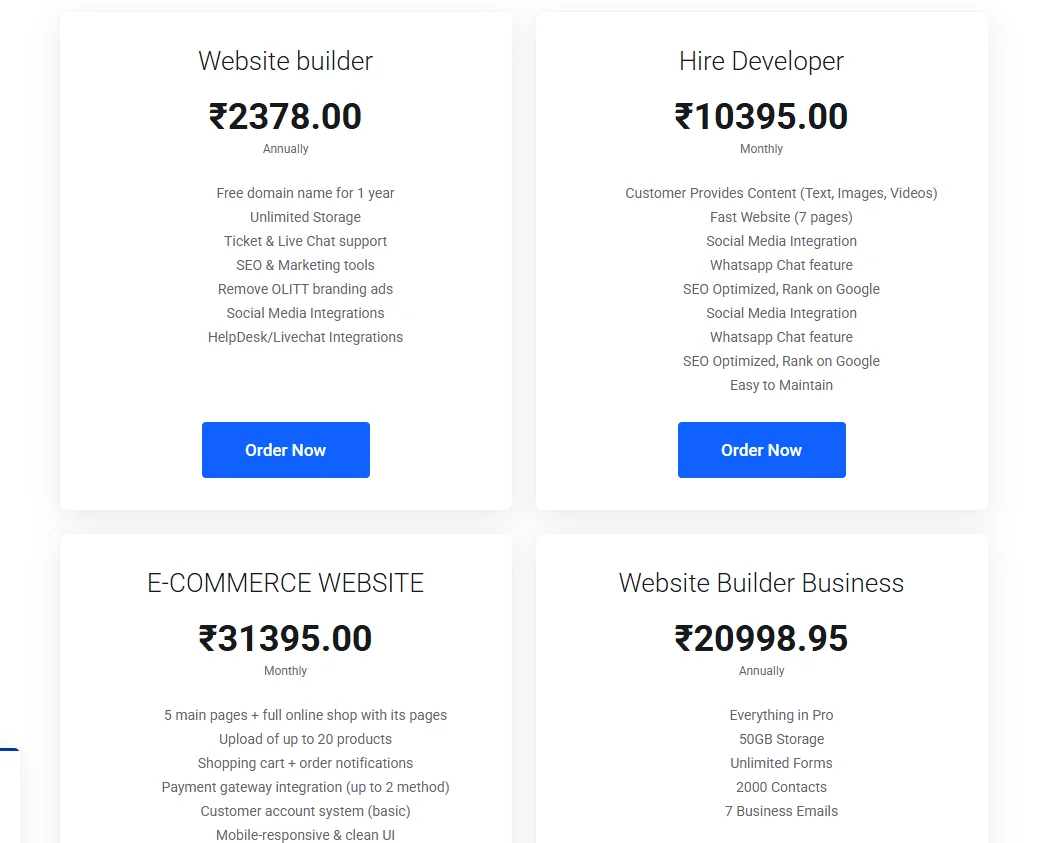
- Website Builder – ₹2,378/year: Free domain, unlimited storage, live chat support, SEO tools, social media integrations, no Olitt branding
- Website Builder Business – ₹20,998.95/year: Everything in Website Builder + 50GB storage, unlimited forms, 2,000 contacts, 7 business emails
- Hire Developer – ₹10,395/month: Done-for-you 7-page website with WhatsApp chat, social media integration, and SEO setup
- E-Commerce Website – ₹31,395/month: Full online shop with up to 20 products, payment gateway, cart, inventory, free SSL, and 2 revision cycles
2) Lovable (For Builders Who Want Real Web Apps)
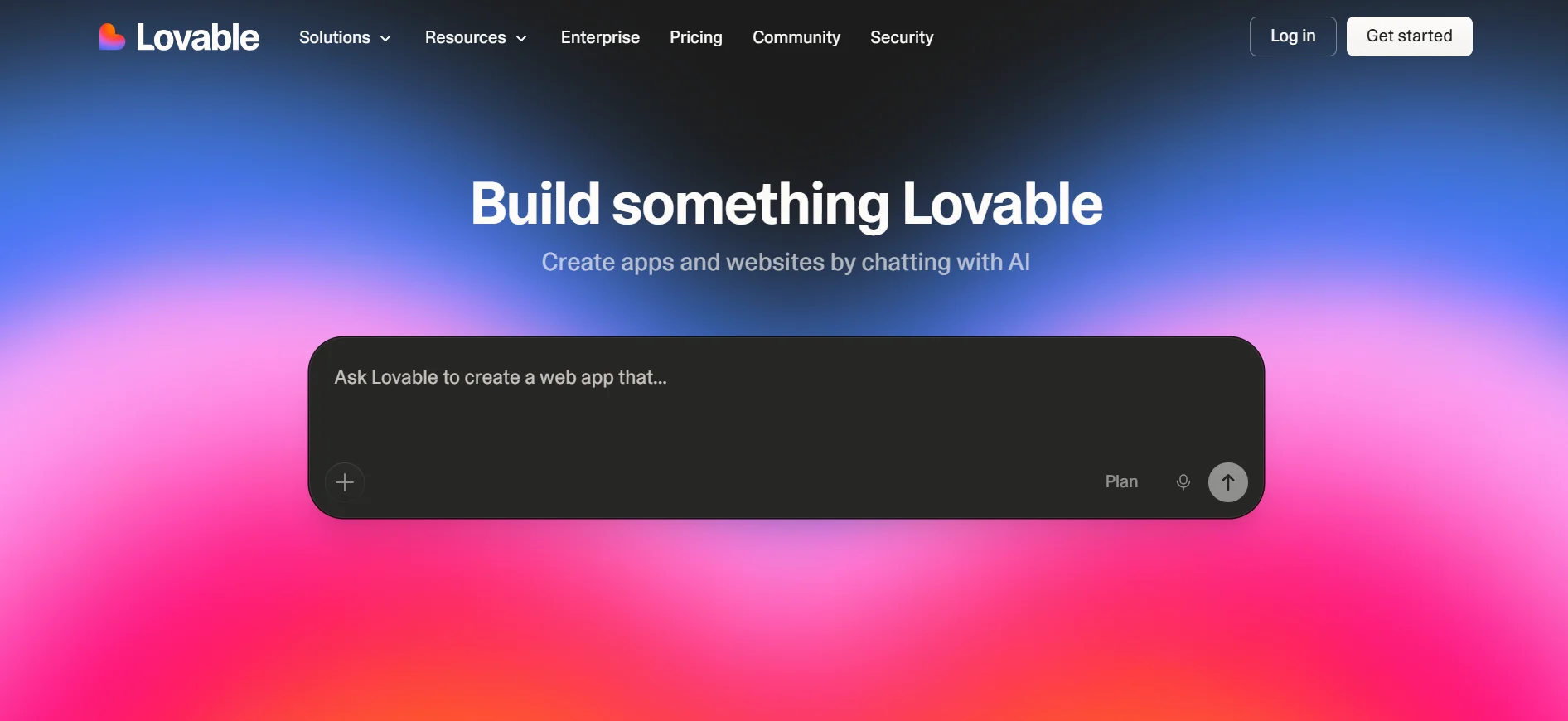
Lovable is an AI-powered, full-stack web app builder that turns plain English prompts into working, deployable web applications.
It generates the complete codebase (frontend, backend, database, authentication) and deploys everything with a single click.
Unlike traditional website builders, Lovable isn’t just about building a site. It’s closer to having an AI engineer that writes real React and Tailwind CSS code for you.
If you’re a non-technical founder wanting to validate an idea, or a designer who wants to build something functional without hiring a developer, Lovable is in a class of its own.
Some Notable Features
- AI full-stack generation – Describe what you want, and Lovable generates a complete, functional application
- Supabase integration – Connects your app to a real backend database, user authentication, and file storage automatically
- GitHub sync – Your code is automatically pushed to a GitHub repository, meaning you own the code and can hand it off to a developer later
- Visual editor – Make small design tweaks without re-prompting the AI
- Real-time collaboration – Multiple team members can work on a project simultaneously
- Custom domains – Connect your own domain on paid plans
- One-click deployment – Ship your app live without any DevOps knowledge
Who Is It Best For?
- Non-technical founders validating a startup idea or MVP
- Product managers and designers building functional prototypes
- Developers who want to skip boilerplate setup and jump straight into complex work
- Freelancers who want to ship client projects faster
Pros and Cons
Pros:
- Builds genuinely sophisticated, production-ready app
- GitHub handoff means zero vendor lock-in
- Functional prototype possible within 90 minutes
- Credit rollover on paid plans prevents waste
Cons:
- Credit-based pricing can be unpredictable – every AI interaction uses a credit
- Vague prompts burn through credits quickly
- Free plan is limited to 5 credits per day (30/month), which isn’t enough for serious projects
- Complex logic can occasionally trip up the AI, requiring manual fixes
Pricing
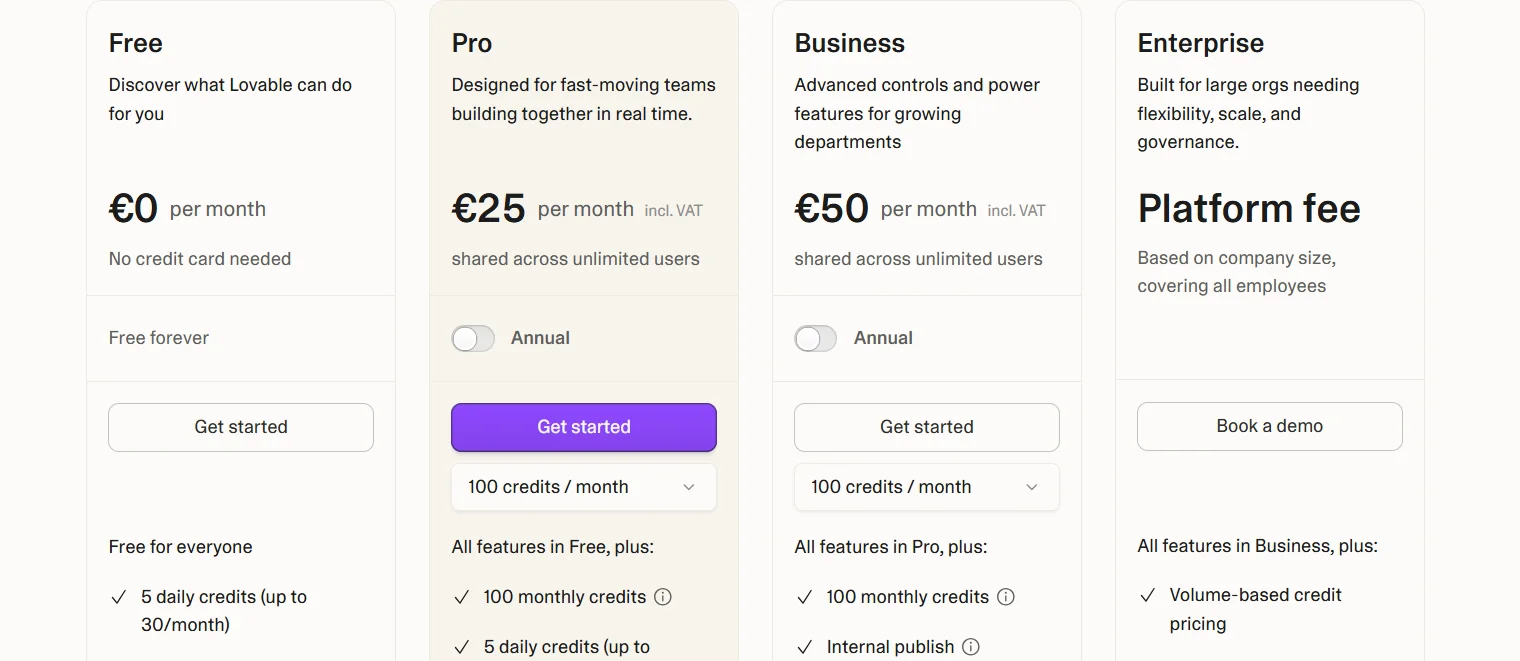
- Free – 5 daily credits (up to 30/month), public projects, unlimited collaborators
- Pro – $25/month: 100 monthly credits + 5 daily credits, custom domains, private projects, credit rollover
- Business – $50/month: All Pro features plus Single Sign-On (SSO) and data training opt-out
- Enterprise – Custom pricing for large organisations
3) Wix (For Small Businesses and Everyone in Between)
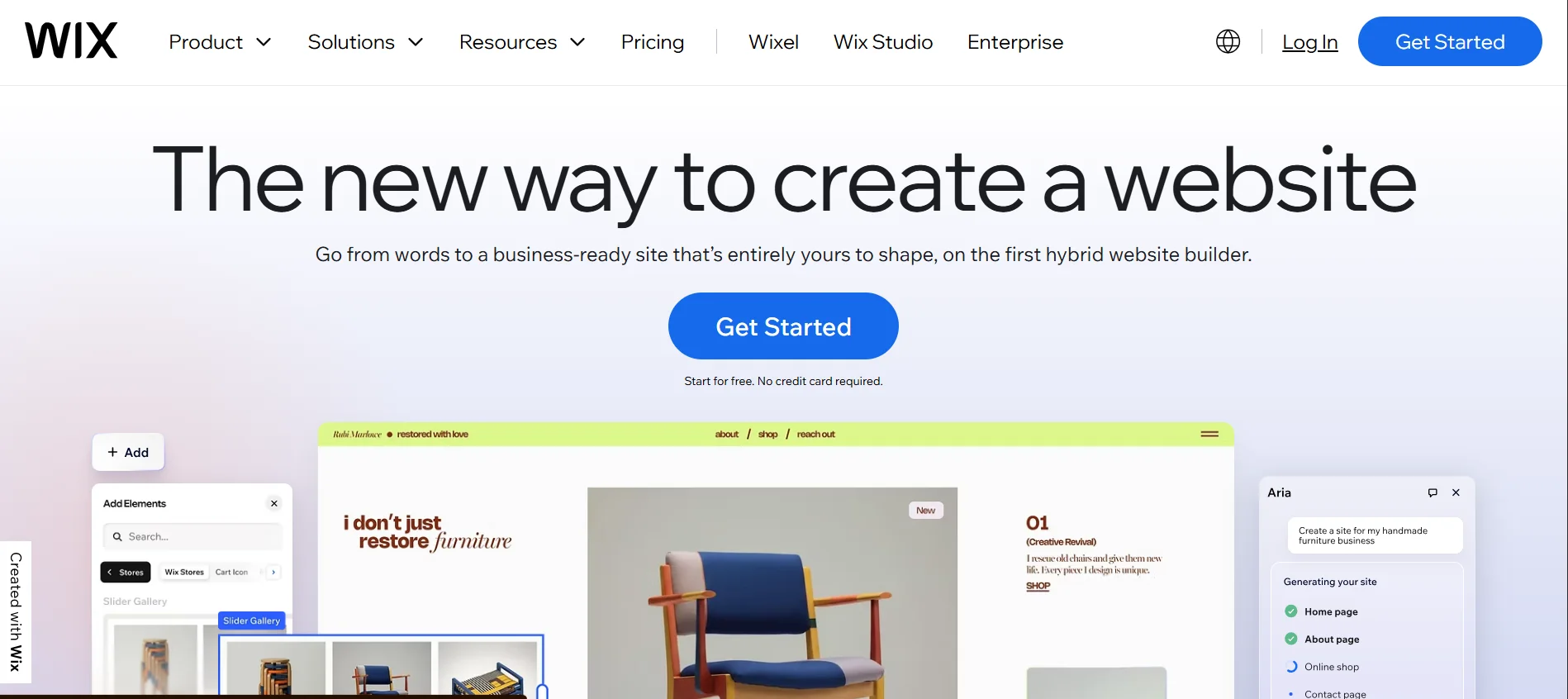
Wix is one of the most well-known website builders in the world.
It gives you a drag-and-drop editor where you can place any element anywhere on your page.
With over 900 templates, a massive app marketplace, and built-in AI tools, Wix has evolved into a full business platform.
Some Notable Features
- Drag-and-drop editor – Move any element anywhere on the page with complete visual freedom
- 900+ templates – Pre-designed templates covering almost every industry and use case
- Wix AI – Generate a full website from a short description, or use AI to write text and generate images
- 500+ app integrations – Connect tools for email marketing, bookings, CRM, live chat, and more
- Built-in eCommerce – Sell products, manage inventory, and accept payments on Business plans
- Wix Bookings – Accept appointments and manage scheduling directly on your site
- SEO tools – Step-by-step SEO assistant to help your site rank on Google
Who Is It Best For?
- Small business owners who want an affordable, feature-rich site
- Beginners who want lots of templates to choose from
- Service-based businesses needing booking and scheduling features
- Anyone who wants flexibility in layout without touching code
Pros and Cons
Pros:
- Extremely easy to use with a huge template library
- Massive app marketplace for added functionality
- Includes a free plan (with Wix branding)
- Built-in AI tools to speed up the build process
- Very versatile (From personal blogs to full eCommerce stores)
Cons:
- Once you pick a template, you can’t switch it without rebuilding the site
- The free plan shows Wix-branded ads and doesn’t allow a custom domain
- The drag-and-drop freedom can result in messy, inconsistent designs if you’re not careful
- The pricing page can be confusing, and quoted prices often require annual billing
Pricing
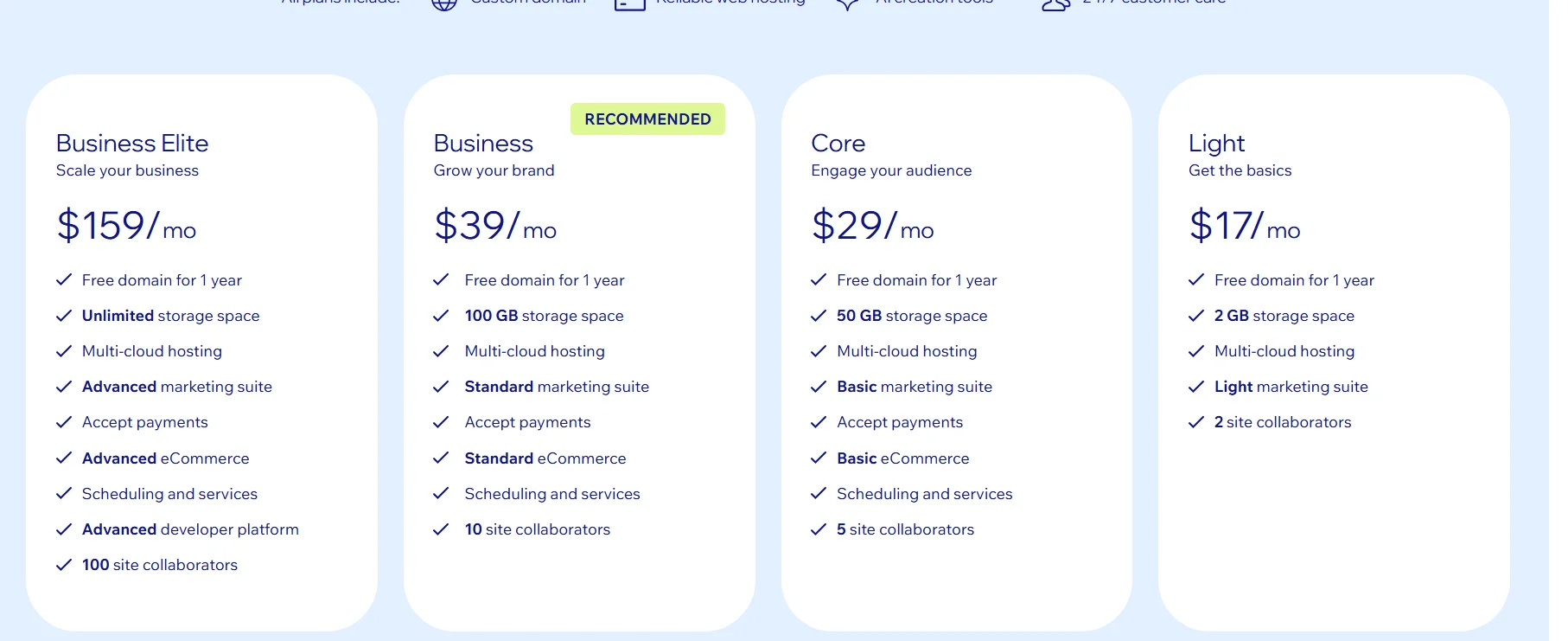
- Light – ~$17/month: Custom domain, 2GB storage, basic tools
- Core – ~$29/month: 50GB storage, basic eCommerce, marketing tools
- Business – ~$39/month: Full eCommerce, 100GB storage, advanced marketing
- Business Elite – ~$159/month: Unlimited storage, advanced developer tools, 100 collaborators.
4) Squarespace (For Creatives and Design-Conscious Brands)
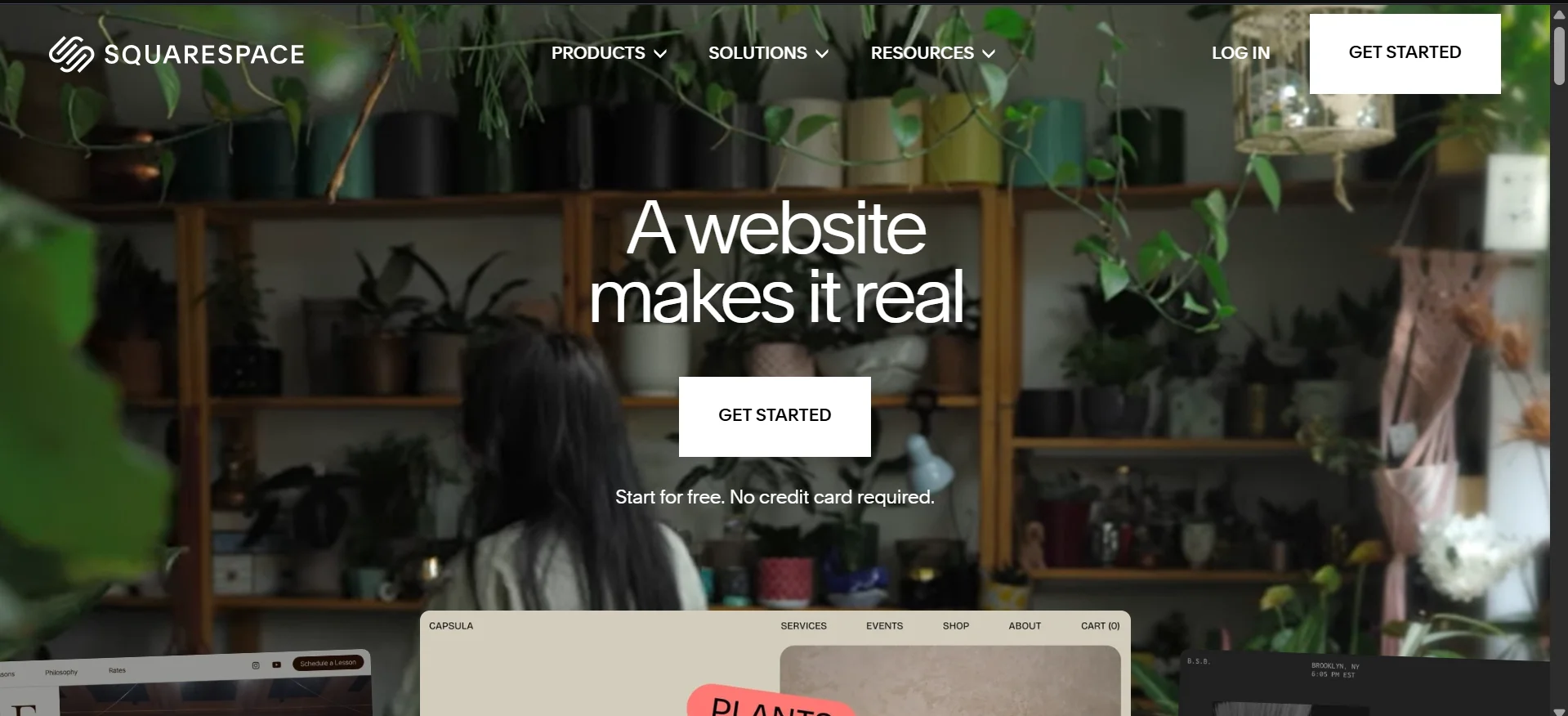
Squarespace has built its reputation on beautiful design. It offers a curated set of award-winning templates that are clean, modern, and professional.
If aesthetics matter to your brand, Squarespace is where you want to be.
Beyond the design, Squarespace is also a capable all-in-one platform.
Features
- Blueprint AI – Generates a personalized website design based on your answers to a short setup questionnaire
- Award-winning templates – 100+ elegant, mobile-optimized templates
- Built-in eCommerce – Sell physical and digital products, subscriptions, and services
- Email marketing – Create and send branded email campaigns from within Squarespace
- Analytics dashboard – Track traffic, sales, and customer behaviour
- SEO tools – Built-in SEO features, including structured data and sitemaps
- Blogging tools – A clean, built-in blogging engine
- All-in-one hosting – SSL, hosting, and security (DDoS protection, WAF) included in every plan
Who Is It Best For?
- Creatives – photographers, artists, designers, and musicians
- Bloggers who want a polished publishing experience
- Small eCommerce stores selling a focused range of products
- Consultants and coaches who want a professional brand presence
Pros and Cons
Pros:
- Visually polished templates
- All-in-one: Hosting, domain, builder,
- Built-in blogging and eCommerce tools
- 14-day free trial to test before committing
Cons:
- No free plan
- Less design flexibility compared to Wix or Webflow
- App/integration ecosystem is smaller than Wix
- The basic plan charges a 2% transaction fee on eCommerce sales
Pricing
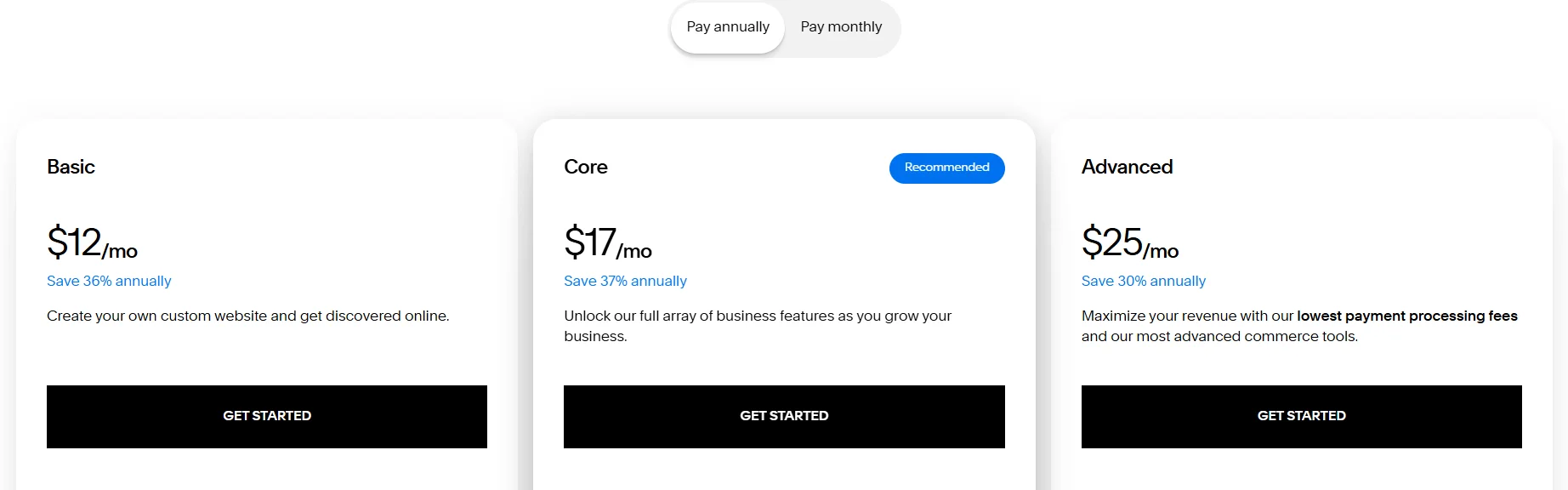
- Basic – $12/month: Free custom domain, Squarespace AI, up to 2 contributors, 2% store transaction fee
- Core – $17/month: Unlimited contributors, advanced analytics, CSS/JS customisation, 0% store transaction fee
- Advanced – $25/month: Everything in Core + lowest payment processing fees, link your own shipping carrier, 0% transaction fees across all sales.
5) Webflow (For Designers and Developers Who Want Full Control)
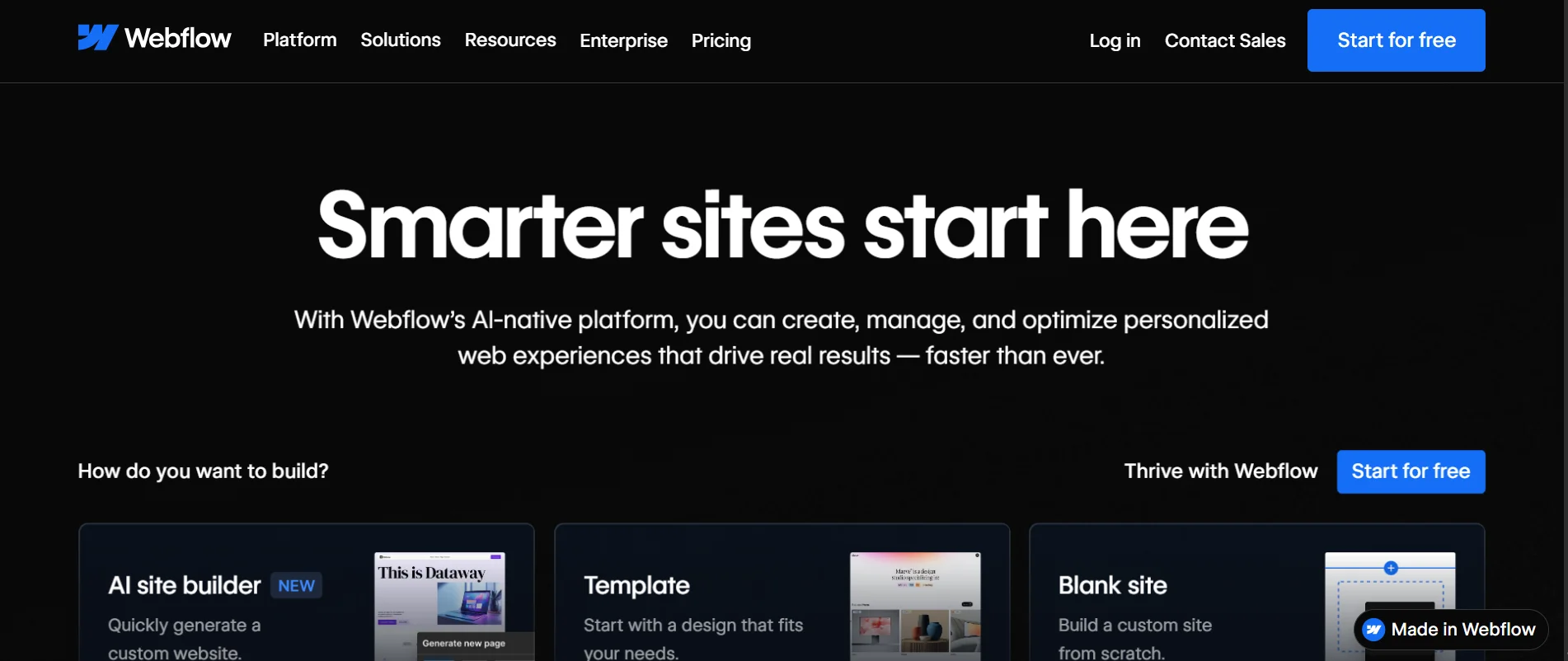
Webflow is the website builder for people who want professional-grade results without writing code from scratch.
It gives you near-code-level design control through a visual editor. This means you can build pixel-perfect layouts, complex animations, and fully custom experiences without leaving the browser.
Under the hood, Webflow generates clean HTML, CSS, and JavaScript.
This makes it a favourite among designers, agencies, and developers who need to build high-performance, SEO-optimized sites for clients or their own brands.
Features
- Visual CSS editor – Control every design property visually (padding, flexbox, grid, transitions)
- CMS – Build content-driven sites with structured data (blogs, directories, product catalogues)
- Interactions and animations – Add scroll-triggered animations, hover effects, and transitions without JavaScript
- Webflow eCommerce – Fully customizable online store with control over every part of the checkout experience
- SEO controls – Fine-grained control over meta tags, structured data, sitemaps, and page speed
- Hosting on AWS – Fast, reliable global hosting built in
- Code export – Export your clean HTML/CSS/JS code and host it anywhere
- Figma-to-Webflow – Import Figma designs and build from them
Who Is It Best For?
- Web designers and agencies building sites for clients
- SaaS companies and startups need a high-performance marketing site
- Developers who want design control without a full custom build
- Brands focused on SEO and performance
Pros and Cons
Pros:
- Unmatched design control
- Generates clean, production-quality code
- Excellent SEO capabilities
- Code export means no vendor lock-in
- Strong CMS for content-heavy sites
Cons:
- Steeper learning curve, i.e., not beginner-friendly
- Pricing can add up, especially with eCommerce plans
- Not ideal for someone who needs a simple site quickly
Pricing
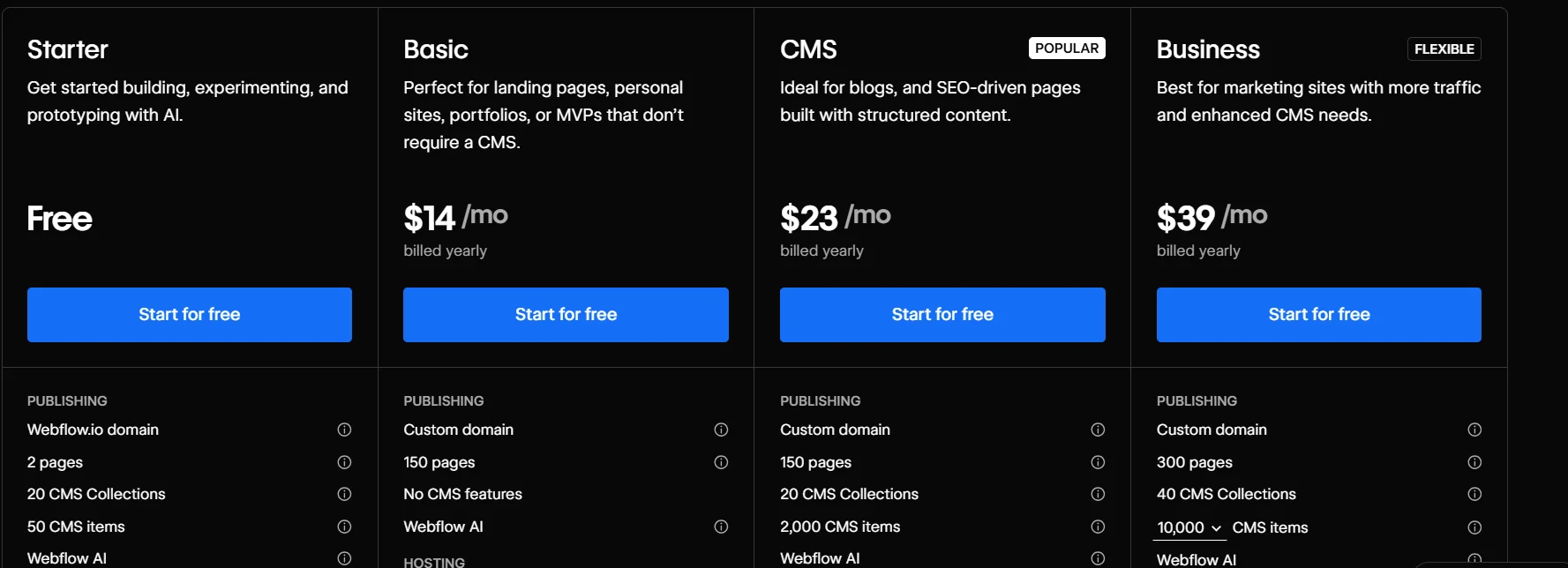
- Starter – Free: 50 CMS items, Webflow subdomain, 2 pages, 20 CMS collections, Webflow AI
- Basic – ~$14/month: Custom domain, no CMS
- CMS – ~$23/month: 2,000 CMS items, 3 editors
- Business – ~$39/month: 10,000 CMS items, 10 editors
- eCommerce plans – from $29/month to $212/month, depending on store size
Important Note: The prices for each of these website builders may vary depending on various factors. Do a bit of research before fully committing.
Already Built Your Website? Use Truehost To Go Live
Building a website is only half the story. The other half is making it live, fast, and secure.
Whether you’ve used Ollit AI to build your site or you’re migrating from another platform, Truehost enables you to go live reliably and affordably.
We have:
- Servers spread across the world
- Multiple scalable hosting plans (Shared, VPS, WordPress, Cloud, Dedicated)
- 24/7/365 live support
- Free SSL certificates
- Domain registration (Over 500 extensions)
- Local pricing
If you’re just starting out, the all-in-one bundle (Ollit AI website builder + Truehost hosting + free domain) is one of the most cost-effective ways to get a professional website live in 2026.
Ready to get started? Visit Truehost and build your website today.