 Web HostingBudget-friendly shared hosting plans
 Domains SearchFrom .com to unique country domains, explore and register extensions worldwide.
 WordPress HostingPower your blog or business with WordPress hosting.
 Email HostingSimple, secure email hosting that helps you stay connected and professional.
 Reseller HostingStart your own hosting business with easy and reliable reseller hosting plans.
 AffiliateJoin our affiliate program and earn commissions every time you bring in new customers.
 cPanel HostingHosting powered by cPanel, the world’s most user-friendly control panel.
 Windows HostingBuilt for Windows applications and websites
 IN Domain PricesDon’t miss out on the best domain deals in India!
 WHOIS LookupFind out who owns a domain name with a quick and easy WHOIS search.
 Domain TransferTransfer your domain to us and enjoy reliable support every step of the way.
 .Com DomainGet the most trusted domain for worldwide credibility
 All TldsSearch and register domain extensions worldwide.
 SSL CertificatesProtect your website with trusted SSL certificates and keep customer data safe.
 VPS HostingPowerful virtual servers. Full root access. Reliable uptime.
 Managed VPS HostingNot a tech expert? Choose our fully managed VPS service.
 Dedicated ServersTake full power and total control of your own physical server.
 AI Website BuilderCreate stunning websites instantly with our easy AI builder.
 Online ShopBuild your eCommerce store easily, no coding, just growth.
 Web Design ServicesGet a website built for your brand and designed for your goals.
 Contact UsReach out to us for support or questions.
 SupportGet answers and how-to guides for all our services.
 BlogRead our latest blogs on web hosting, online business, digital marketing, and other helpful topics.
Email hosting is a service that stores and delivers email for addresses on your own domain. A provider runs the mail servers, so you never have to.
The result is an address like [email protected] instead of a free Gmail or Yahoo address.
Still, the term confuses many first-time site owners. You may have seen it in a hosting package and wondered what it adds. This guide answers that in plain language.
You will learn how one message travels through the system. You will also see how email hosting differs from free email, web hosting, and a domain name. By the end, you will know whether you need it and what it costs.
What Is Email Hosting?
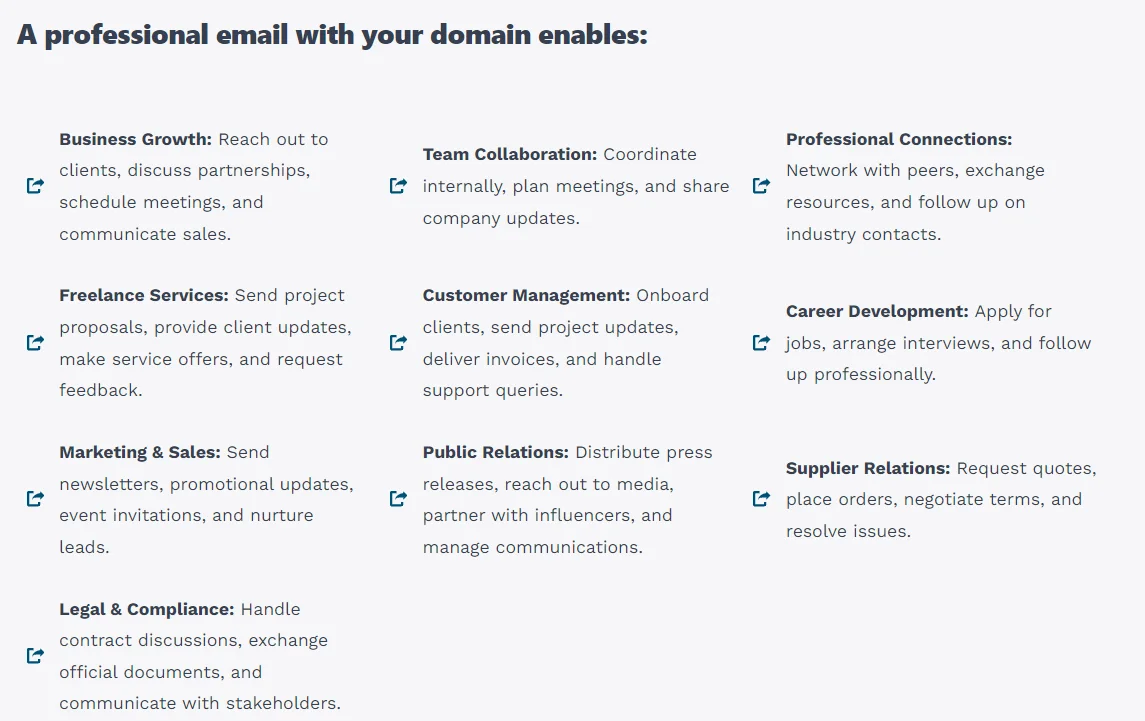
Email hosting is a rented service that handles your email on a company’s servers.
The provider receives messages sent to your domain and stores them in your mailbox. It also sends out your replies. You log in through a webmail page or an app on your phone.
A good comparison is a post office handling mail for your street address. People write to you at that address. The post office sorts the mail and holds it until you collect it. You never run the sorting machines yourself.
Here is the difference in practice:
- Free address: [email protected]
- Hosted address: [email protected]
Both addresses work. However, only the second one tells a customer who you are at a glance.
What Is an Email Hosting Provider?
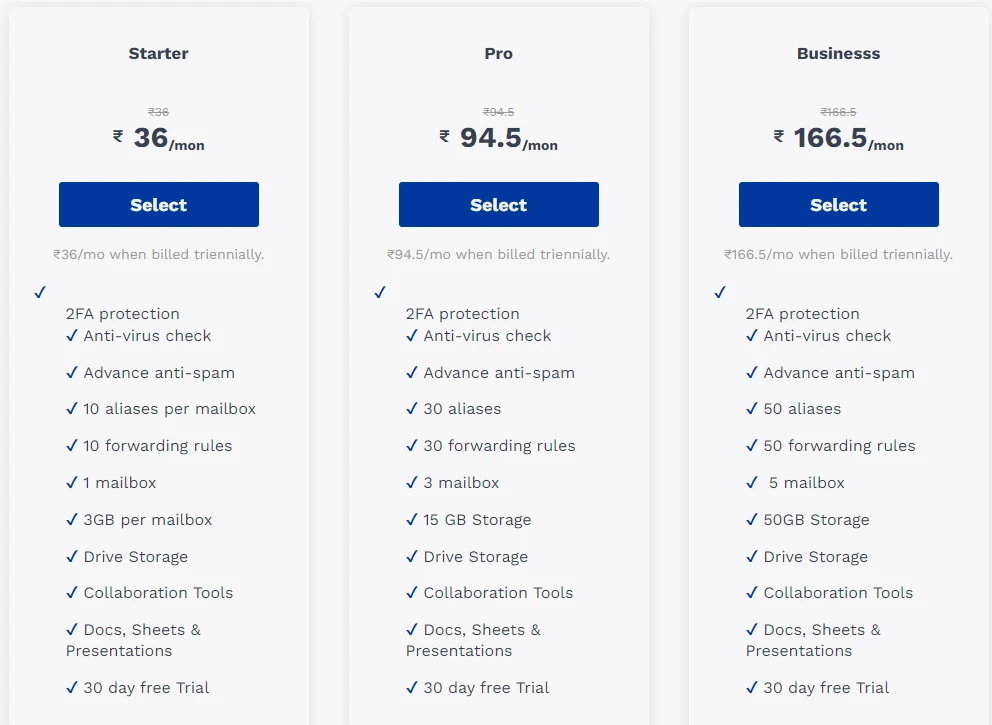
An email hosting provider is a company that sells email hosting. It owns or rents the mail servers and keeps them running. It also handles updates, backups, and security.
Google Workspace, Microsoft 365, and Zoho Mail are well-known examples. Many web hosting companies sell email hosting too.
The terms around this topic overlap, so here is a quick glossary:
- Email hosting provider: the company that sells the service.
- Email server: the machine that stores and moves your messages.
- Hosted email: another name for the service itself.
- Email client: the app you use to read mail in, such as Outlook or Apple Mail.
A client doesn’t run your mail system. It just connects to your host to fetch and send messages. You pay a monthly or yearly fee for the service. In return, the provider looks after the servers, so you never touch them.
How Does Email Hosting Work?
Follow one email from start to finish. A customer named Sarah writes to [email protected]. Here is what happens next:
- Sarah presses send. Her email service hands the message to the internet using SMTP, the standard protocol for sending mail.
- A DNS lookup finds your server. Her service checks your domain’s MX record. MX stands for mail exchanger. This record names the server that accepts mail for sunrisebakery.com.
- Your host receives the message. The provider’s server scans it for spam and malware. Then it files the message in your mailbox.
- You read it. Your app or webmail connects using IMAP or POP3. IMAP keeps mail on the server and syncs it to every device. POP3 usually downloads it to one device.
Your reply makes the same trip in reverse. Your host sends it over SMTP, and Sarah’s provider delivers it to her inbox.
The setup follows the same logic. You point your domain’s MX records at your provider. The provider gives you the exact values to copy into your domain settings. Changes can take a few hours to spread across the internet.
Email Hosting vs Free Email: What Actually Changes?
Free email and hosted email do the same basic job. They differ in address, control, and support.
| Feature | Free email (Gmail, Yahoo) | Hosted email on your domain |
|---|---|---|
| Address | [email protected] | [email protected] |
| Branding | Provider’s name in the address | Your own name |
| Control | Provider sets the rules | You manage mailboxes and users |
| Storage | Fixed free allowance | Set by your plan, and you can upgrade |
| Support | Help pages and forums | Usually, ticket or chat support |
| Cost | Free | Paid, usually per mailbox |
Branding is the biggest change. A branded address looks more credible to customers. It also repeats your business name with every message you send.
Control comes next. With hosted email, you create and remove mailboxes yourself. When a team member leaves, you keep their mailbox and reassign it.
Free email still makes sense for personal use. A family chat or a hobby blog doesn’t need a paid plan.
One more point is worth knowing. Gmail on your own domain is a paid product called Google Workspace. In other words, it is simply one kind of hosted email.
Email Hosting vs Web Hosting vs Domain Name
These three services often get mixed up, since they usually appear together at checkout. Each one does a different job:
- Domain name: your address on the internet, such as sunrisebakery.com.
- Web hosting: the service that keeps your website online.
- Email hosting: the service that runs your mailboxes.
You need a domain to use email hosting. However, owning a domain doesn’t give you email hosting automatically. You still have to add a service that handles the mail.
Your website can run without email hosting. Likewise, email can run without a website. The two are separate services, even when one company sells both.
Many hosts bundle web hosting and email hosting together. Bundling keeps billing and support in one place, which suits small sites. A standalone email plan suits teams that need bigger mailboxes or tighter controls.
Types of Email Hosting
Email hosting comes in three main types. Each one trades cost against control.
Shared Email Hosting
Your mailbox sits on a server that many customers use. This type costs the least. However, you get less control, and speed can dip if a neighbor sends heavy volumes. It suits freelancers and small sites with a few mailboxes.
Dedicated Email Hosting
One server serves only you. You get more control over settings and performance. The cost is higher, and someone has to maintain the server. It suits large organizations with strict rules.
Cloud-Based or Managed Email Hosting
The provider runs the infrastructure in the cloud and handles maintenance, updates, and security. You usually pay per user.
Google Workspace and Microsoft 365 both fit here. It suits teams that want shared calendars and files with little upkeep.
Use this table to match a type to your situation:
| Your situation | Best fit |
|---|---|
| Solo freelancer or small site with a few mailboxes | Shared hosting, often bundled with web hosting |
| Growing team that needs shared calendars and files | Cloud-based or managed hosting |
| Large organization with strict compliance rules | Dedicated or managed enterprise hosting |
| Personal use only | Free email |
Features You Should Expect from Email Hosting
Look for these features when you compare plans:
- Custom domain mailboxes. Create as many addresses as your plan allows, such as info@ or sales@.
- Storage and attachment limits. Check the space per mailbox and the largest file you can send.
- Spam and malware filtering. Good filters keep junk and infected files out of your inbox.
- Authentication support. SPF, DKIM, and DMARC help your mail reach inboxes instead of spam folders.
- Flexible access. Webmail, plus IMAP support for phone and desktop apps.
Those three acronyms sound technical, but each does one simple job:
- SPF lists the servers allowed to send mail for your domain.
- DKIM adds a digital signature that shows the message wasn’t altered on the way.
- DMARC tells receiving servers what to do when a message fails those checks.
Without them, your messages are more likely to land in spam.
Who Needs Email Hosting?
Email hosting fits several kinds of people. Check whether you are one of them:
- Small business owners and freelancers. A branded address makes you look established from the first message.
- Teams. Staff get their own mailboxes, and you can add shared ones like support@ and sales@.
- Anyone who wants control over email data. You decide who has access, and you keep a mailbox when staff leave.
You can probably skip it in one case. If you only email friends and family, free email is enough. You have no brand to protect and no team to manage.
FAQs
How Much Does Email Hosting Cost?
Prices vary by type. Budget plans often start at around $1 per mailbox each month. Cloud suites cost more. Google Workspace Business Starter lists at about $7 per user monthly on an annual plan. Monthly billing runs about $8.40.
Three things drive the price: the number of mailboxes, the storage per mailbox, and extras like shared calendars. Bundled plans usually cost less than standalone ones. Prices change often, so check each provider’s current page before you buy.
Is There Free Email Hosting?
Yes, in a limited form. Some web hosting plans include a few free mailboxes on your domain. These usually come with tight storage limits and basic support.
Free email from Gmail or Yahoo is a different product. It doesn’t use your domain. Consider paying once your business depends on email. The same goes for the moment you need more mailboxes, more storage, or faster support.
Your Next Step Toward a Professional Email Address
Email hosting gives you mailboxes on your own domain, run by a provider on its servers. Free email can’t do that, so a branded address needs a hosted plan.
Getting started takes three steps:
- Register your domain, or confirm the one you already own.
- Pick the hosting type that fits, using the table above.
- Create your mailboxes and add the MX, SPF, and DKIM records your provider gives you.
Ready to set it up? Choose a Truehost email hosting plan, connect your domain, and create your first professional mailbox today.