Web HostingBudget-friendly shared hosting plans
 Domains SearchFrom .com to unique country domains, explore and register extensions worldwide.
 WordPress HostingPower your blog or business with WordPress hosting.
 Email HostingSimple, secure email hosting that helps you stay connected and professional.
 Reseller HostingStart your own hosting business with easy and reliable reseller hosting plans.
 AffiliateJoin our affiliate program and earn commissions every time you bring in new customers.
 cPanel HostingHosting powered by cPanel, the world’s most user-friendly control panel.
 Windows HostingBuilt for Windows applications and websites
 IN Domain PricesDon’t miss out on the best domain deals in India!
 WHOIS LookupFind out who owns a domain name with a quick and easy WHOIS search.
 Domain TransferTransfer your domain to us and enjoy reliable support every step of the way.
 .Com DomainGet the most trusted domain for worldwide credibility
 All TldsSearch and register domain extensions worldwide.
 SSL CertificatesProtect your website with trusted SSL certificates and keep customer data safe.
 VPS HostingPowerful virtual servers. Full root access. Reliable uptime.
 Managed VPS HostingNot a tech expert? Choose our fully managed VPS service.
 Dedicated ServersTake full power and total control of your own physical server.
 AI Website BuilderCreate stunning websites instantly with our easy AI builder.
 Online ShopBuild your eCommerce store easily, no coding, just growth.
 Web Design ServicesGet a website built for your brand and designed for your goals.
 Contact UsReach out to us for support or questions.
 SupportGet answers and how-to guides for all our services.
 BlogRead our latest blogs on web hosting, online business, digital marketing, and other helpful topics.
Last updated on January 15th, 2026 at 06:25 am
You’ve just bought Windows hosting for your business.
Excited, you log in to manage your website. And then it hits you.
The dashboard looks like a spaceship cockpit. Buttons everywhere. Settings you don’t understand. For example, you want to add an email account, but you’re clicking through five different menus just to find the right option.
Sound familiar?
This is what happens when you don’t have the right control panel. Or worse, when you have one that’s built for Linux and forced onto Windows.
But don’t worry? In this guide, you’ll know exactly which control panel fits your needs and how to avoid the mistakes most people make when choosing one.
Let’s get into it.
What Is a Web Hosting Control Panel?

The web hosting control panel is simply your hosting dashboard.
In other words, it’s the interface that sits between you and your server. Without it, you’d need to use command lines, edit config files manually, and basically become a Windows Server admin just to upload a file.
A good control panel lets you:
- Manage websites and domains
- Create email accounts
- Set up databases
- Upload and manage files
- Install SSL certificates
- Schedule backups
- Monitor security
It turns technical tasks into simple clicks. And for Windows hosting specifically, it needs to work smoothly with IIS, ASP.NET, and MSSQL, things that Linux control panels just don’t handle well.
What Makes a Good Control Panel for Windows Hosting?
Not all control panels are created equal.
Some are designed for Linux and awkwardly ported to Windows. Others are powerful but so complicated that only developers can use them.
Here’s what you should look for:
- Native Windows support: It should be built for Windows Server, not adapted from Linux. This means proper IIS integration, ASP.NET support, and native MSSQL database management.
- Ease of use for non-technical users: You shouldn’t need a computer science degree to add a subdomain or create an email. The interface should be intuitive, with clear labels and logical workflows.
- Strong IIS, ASP.NET, and MSSQL integration: If you’re running Windows hosting, you’re likely using Microsoft technologies. The control panel needs to handle these natively, not through workarounds.
- Security tools built in: SSL management, firewall configuration, automatic updates, and malware scanning should be standard features, not expensive add-ons.
- Reliable updates and long-term support: Hosting technology changes, so your control panel should get regular updates, security patches, and feature improvements.
- Affordable licensing for Indian users: Some control panels charge per server, some per domain. Thus, factor in exchange rates and local payment options.
Get these right, and managing your hosting becomes easy. Miss any of them, and you’ll spend more time troubleshooting than building your business.
Best Control Panels for Windows Hosting in India
Let’s look at the real options available today.
These are the control panels that actually work with Windows hosting, used by providers and businesses across India. Each has strengths and limitations, which I’ll unveil.
1) Plesk – The Best Overall Control Panel for Windows Hosting
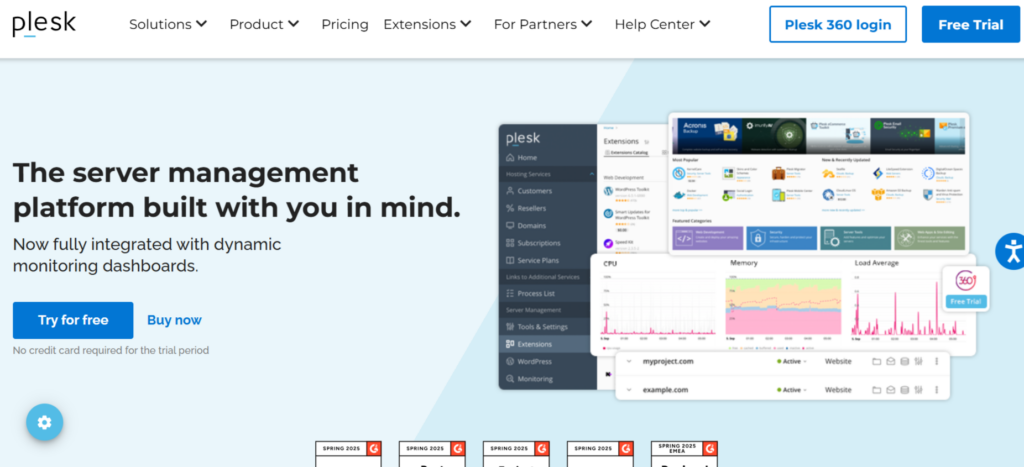
Plesk dominates Windows hosting for a reason.
It was designed for Windows from day one. Not ported from Linux. Not adapted later. But, built specifically to work with Microsoft technologies.
Most professional hosting providers in India use Plesk. That’s because it works equally well for beginners who just want to launch a website and developers who need advanced control.
You get a clean interface that doesn’t overwhelm you. But underneath, you have access to every setting you might need.
Key Features of Plesk Control Panel
Here’s what makes Plesk stand out:
- Full IIS, ASP.NET, MSSQL support: Native integration with Microsoft technologies means everything works as expected. No compatibility issues, no workarounds, no frustration.
- Simple dashboard: The interface is organized logically. Thus, adding a domain takes seconds, creating an email account is three clicks, and even complex tasks feel manageable.
- Built-in security: SSL certificates through Let’s Encrypt, firewall management, automatic security updates, and malware scanning are all included. You don’t pay extra for basic protection.
- One-click app management: You can install WordPress, Joomla, or other applications instantly. The App Catalog handles everything from installation to updates.
- WordPress + Windows compatibility: Yes, WordPress works perfectly on Windows hosting with Plesk. The control panel bridges any compatibility gaps smoothly.
Pros of Plesk
- Very easy to use, even for complete beginners
- Best-in-class Microsoft stack support
- Strong security tools are included in the base package
- Regular updates and active development
- Excellent documentation and community support
Cons of Plesk
- Requires a paid license (though often included with hosting plans)
- Can feel resource-heavy on very small servers with limited RAM
2) SolidCP – A Free Option for Developers and Advanced Users

SolidCP is the open-source alternative.
It’s powerful, free, and gives you deep control over Windows Server environments. But here’s the catch: it’s not designed for casual users.
If you’re comfortable with server administration and want maximum flexibility without licensing costs, SolidCP makes sense. However, if you just want to manage a website without technical headaches, look elsewhere.
Features of SolidCP
Here’s what you get with this open-source platform:
- Multi-server management: Control multiple Windows servers from one interface. Perfect for hosting providers or businesses with complex infrastructure.
- Deep Windows Server integration: Access advanced IIS settings, manage application pools, and configure MSSQL databases at a granular level.
- Complete hosting automation: Automate account creation, billing integration, resource allocation–everything you need to run a hosting business.
- Open-source flexibility: Modify the code, add custom features, and integrate with existing systems. In short, no vendor lock-in.
Pros
- Free and open-source with no licensing fees
- Deep Windows Server integration for advanced users
- Multi-server support for complex hosting environments
- Active community and regular updates
Cons
- Not beginner-friendly at all
- Outdated interface that feels clunky
- Requires technical knowledge for setup and maintenance
3) DirectAdmin on Windows – Lightweight but Limited
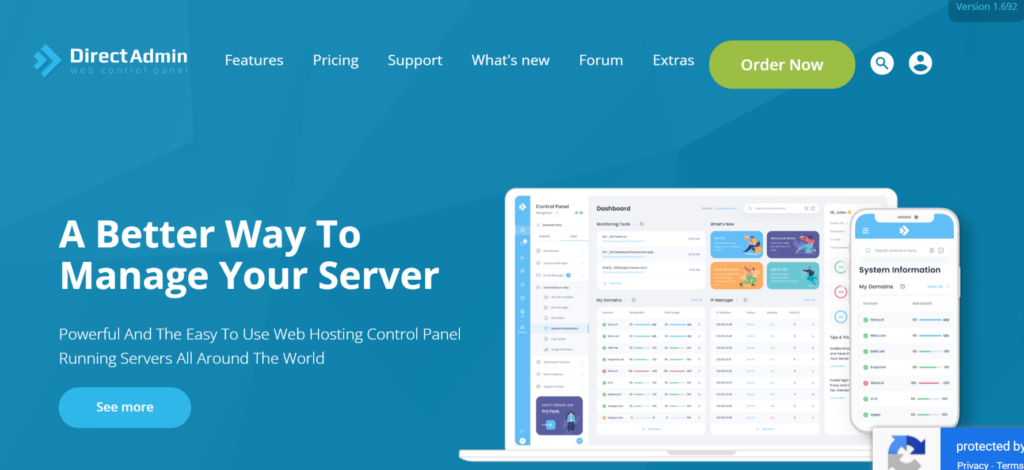
DirectAdmin started as a Linux control panel.
The Windows version exists, but it’s clearly an afterthought. It’s lightweight, uses minimal resources, and costs less than Plesk. But you sacrifice features and polish.
That said, for small websites with basic needs, it might work. But for anything involving Microsoft technologies like ASP.NET or MSSQL, you’ll hit limitations quickly.
Features of DirectAdmin
What this lightweight panel offers includes:
- Basic hosting management: Create accounts, manage domains, set up email–the essentials are covered, though not always elegantly.
- Minimal resource usage: Runs on servers with limited RAM and processing power. So, it’s good for budget hosting on small VPS instances.
- Simple billing integration: Easy to connect with WHMCS and other billing systems if you’re running a hosting business.
- Cost-effective licensing: Cheaper than Plesk, with straightforward per-server pricing.
Pros
- Lightweight and fast
- Lower cost than premium alternatives
- Easy to learn for basic tasks
Cons
- Limited Windows-specific features
- Poor ASP.NET and MSSQL support
- Interface feels dated compared to Plesk
4) MSPControl – Built for Windows Hosting Providers

MSPControl targets a specific audience. The hosting providers and resellers.
It’s designed for managing multiple client accounts across multiple servers. That means if you’re running a hosting business, it offers the automation and billing integration you need.
But if you’re just hosting your own websites, it’s overkill. The complexity isn’t worth it for single-user scenarios.
Features of MSPControl
Here’s what hosting providers get:
- Multi-tenant architecture: You can manage hundreds of client accounts with isolated resources and permissions. This is ideal if you’re into the reseller hosting business.
- Advanced billing integration: Connect with popular billing systems for automated invoicing, resource tracking, and payment processing.
- White-label customization: Brand the control panel as your own. That includes customizing logos, colors, and interface elements.
- Resource quota management: MSPControl lets you set and enforce limits on disk space, bandwidth, databases, and email accounts per client.
Pros
- Built specifically for hosting providers
- Strong multi-server control capabilities
- Comprehensive automation features
- Good support for reseller workflows
Cons
- Complex setup and configuration
- Steep learning curve even for technical users
- Expensive for small-scale operations
Comparison Table: Windows Hosting Control Panels at a Glance
Here’s how these options stack up side by side:
| Control Panel | Best For | Ease of Use | Biggest Strength | Main Drawback |
| Plesk | Businesses & beginners | Very Easy | Full Windows support | Paid |
| SolidCP | Developers | Medium | Free & flexible | Technical |
| DirectAdmin | Small sites | Easy | Lightweight | Limited features |
| MSPControl | Resellers | Medium | Multi-server control | Complex setup |
So, Plesk is the best overall choice of control panel for Windows.
It’s designed specifically for Windows, genuinely easy to manage, stable, secure, and widely supported by Indian hosting providers.
Frequently Asked Questions
1) What is the best control panel for ASP.NET hosting in India?
Plesk handles ASP.NET better than any other control panel. It integrates natively with IIS and lets you manage application pools, .NET versions, and framework settings directly. No workarounds needed.
2) Can I use cPanel on Windows hosting?
No. cPanel only works on Linux servers. If someone offers “cPanel for Windows,” they’re either confused or misleading you. For Windows, you need Plesk, SolidCP, or another Windows-specific control panel.
3) Are free Windows control panels safe?
SolidCP is safe if you know how to configure and maintain it properly. The security depends more on your server setup and maintenance practices than the control panel itself. Free doesn’t mean insecure, but it does mean you’re responsible for updates and security patches.
4) Which control panel is easiest for beginners?
Plesk, by a significant margin. The interface is intuitive, tasks are clearly labeled, and there’s extensive documentation for everything. You can start managing your hosting within minutes of logging in.
Final Thoughts: Choose Simplicity, Stability, and Support
Your control panel affects everything in Windows hosting.
Plesk offers the best balance of simplicity and power for Windows hosting in India. It works well for beginners, scales well for businesses, and handles Microsoft technologies better than anything else available.
Of course, free control panels work, but only if you know what you’re doing. That said, if you’re comfortable with server administration, SolidCP gives you powerful control without licensing costs.
But be honest about your technical skills. Choosing a free panel and then struggling with it for weeks costs more than just paying for Plesk.
At Truehost, we include Plesk with our Windows hosting plans because we’ve seen what happens when people try to manage Windows servers without proper tools. It’s frustrating, time-consuming, and risky.
Get our Windows hosting discounts and launch your website with the easy, secure, and beginner-friendly control panel.